Konstantin Zudov

Saint Petersburg

Open to relocation and remote work

Experience

  1. Founder at Neurica

    2026 — present

    My own studio: we take on products for clients as a contractor and carry them from research to working code.

    • Inosago: online car insurance with a customer side, a sales workspace and an admin panel, 64 screens for four roles.
    • Monogrid: portfolio sites and client albums for photographers, designed and built to production.
  2. UX/UI designer, pilot project at Konsol.Pro

    2026

    Pilot in the design department: a multi-agent system that turns a product manager’s PRD into screens built from the company design system, without designers. Agents check the PRD for gaps and review every result.

    • 3 products and 320+ screens built entirely from design-system components.
    • Rebuilt the Lovable pilots from existing components and cut their technical debt.
  3. Design Lead, HR-tech at AlfaStrakhovanie

    2024–2026

    Internal ecosystem: org structure, business travel, bonuses, payroll and corporate healthcare. Contracted through Intelsy.

    • Made prototyping 3× faster with AI tools (Figma Make) and a leaner approval flow.
    • Built the design system with tokens and semantic versioning of components.
  4. Creative Director / DesignOps at Intelsy

    2023–2026

    Led the design department across internal and client products: strategy, hiring, quality control, handoff rules and regular crits.

    • Grew the design department’s profitability by 11% a year.
    • Launched 3 internal AI services: a multi-agent estimator for incoming projects (Neuro Goose), hiring automation and social media automation.
  5. Design Lead, B2B fintech at Moscow Exchange

    2023–2024

    Professional B2B bookbuilding platform for collecting orders and allocating securities in placements. Contracted through Intelsy.

    • Rebuilt the missing requirements through stakeholder interviews and aligned them with business, IT and compliance.
    • Designed roles, permissions and edge cases; delivered interactive prototypes and specs.
  6. Senior Product Designer, e-mobility at Wize, UAE

    2022–2023

    Ecosystem for commercial electric vehicles in Dubai: a driver app and a battery monitoring platform, 50+ back-office and 15 app screens under one set of interface standards.

  7. Senior Product Designer, social / gamification at Overclout, Thailand

    2021–2022

    Social network with gamification for the Thai market: feeds, profiles, game mechanics and UX localisation, within Flutter’s constraints.

  8. Art Director at Newmen

    2019–2021

    Digital client projects.

  9. Art Director at STEM

    2017–2019

    Visual identity systems for corporate events.

Education

  • 2008 Ural State University of Architecture and Art Faculty of Design, Yekaterinburg
  • 2024 Systems management of organisations (MBA) Simbirsk-LINK
  • 2024 Innovation through Design: Think, Make, Break, Repeat The University of Sydney, Coursera
  • 2024 Introduction to TRIZ Sergey Gorpinenko
  • 2023 Google UX Design, 5 courses Google, Coursera

Languages

  • Russian — native
  • English — B1
  • Spanish — A1

Skills

  • UX
  • UI
  • Design systems
  • Usability
  • Figma
  • Framer
  • Webflow
  • Pixso
  • Spline
  • Agile
  • MVP
  • LLM
  • Multi-agent systems
  • Prompt engineering
  • Claude Code
  • Cursor
  • Lovable
  • Bolt.new
  • ComfyUI

Contacts

Dot Constructor

A browser tool for a design studio: a whole dotted typeface built from dots on a grid and tuned without heavy editors.

Client
Design studio
Role
Design and development

Overview

A design studio needed a display typeface in one dotted style, and a way to tune it without Glyphs or FontLab. I designed and built a tool for it: a browser app where a whole typeface is put together from dots on a grid.

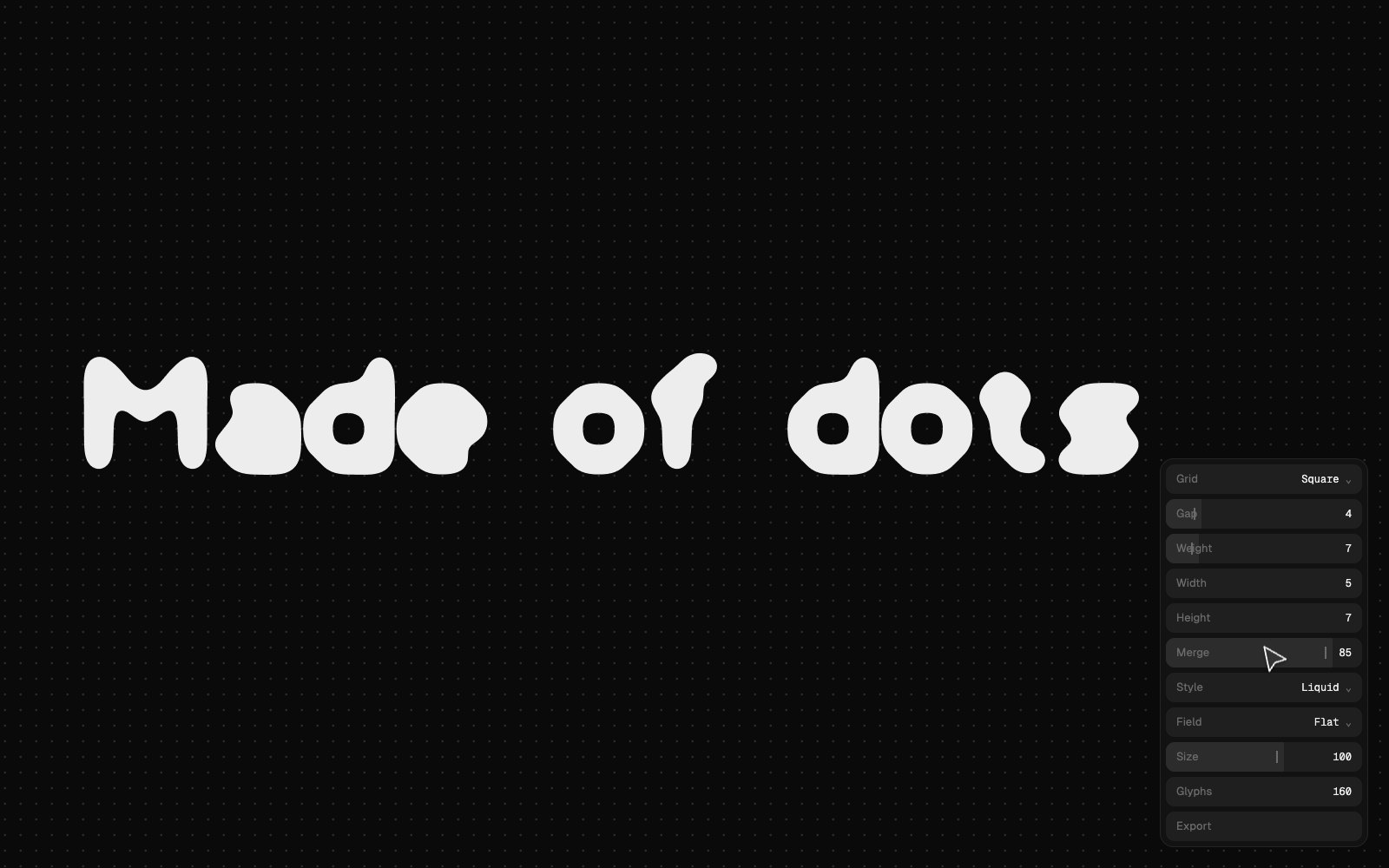
It is a constructor rather than a drawing app. One base sets the grid, the gap and weight of the dots, the size of the letters, how strongly neighbours merge and how big each dot is across a letter. Every letter is drawn inside that base, node by node, and when the base changes all 160 rebuild themselves, with nothing to redraw.

Typeface

The tool comes with its own dotted face: Latin and Cyrillic, digits and ASCII punctuation, 160 glyphs drawn by hand node by node on a cell five nodes wide and seven tall. Text is typed straight on the canvas, and any letter opens with a double-click.
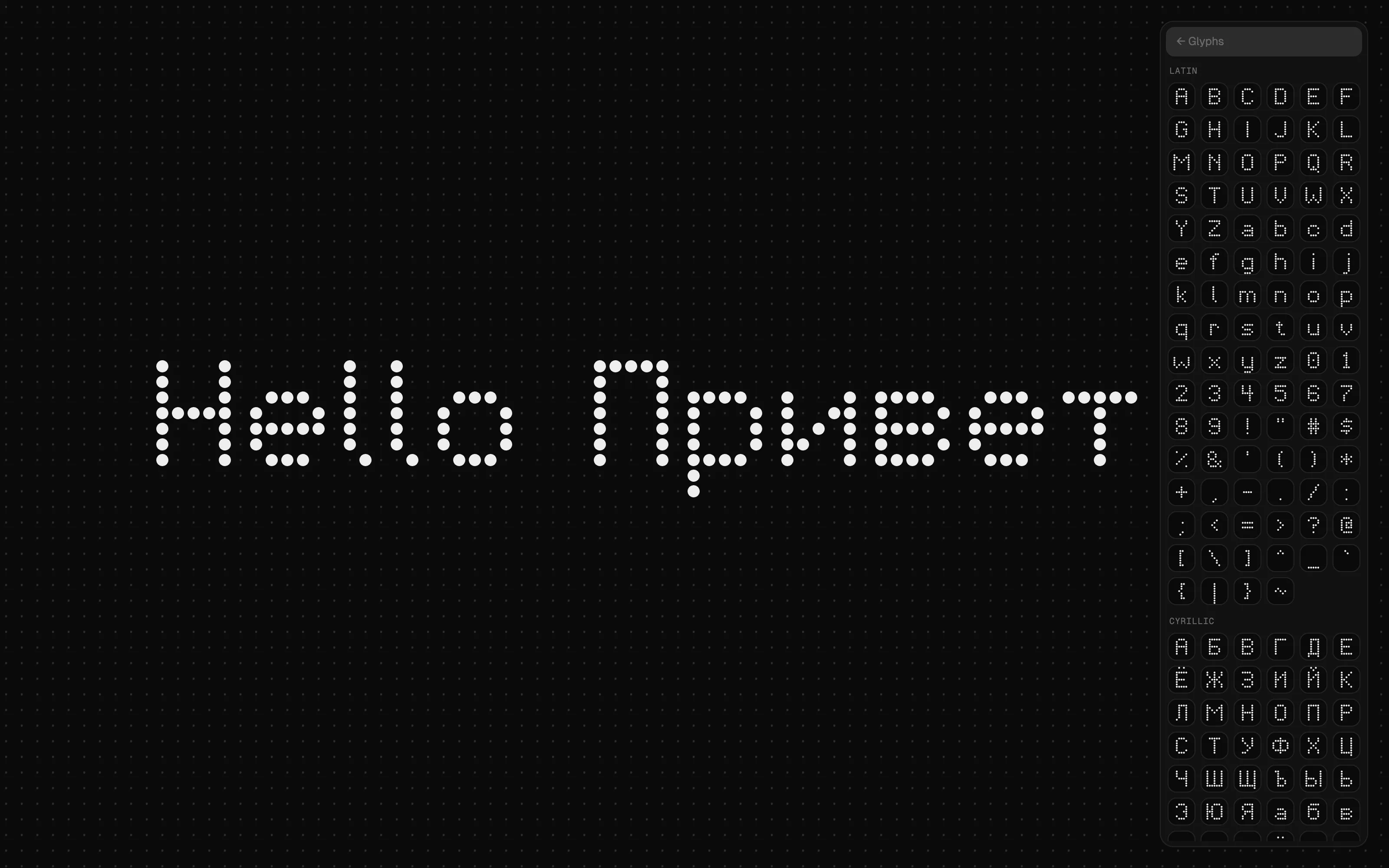
Text typed right on the canvas, in Latin and Cyrillic; the view keeps the whole line in sight.
A double-click on a letter flies the camera in. Here the o gets a dot in its middle, and the o in the text changes with it.
The glyph table holds the whole set, Latin and Cyrillic; any letter opens from here too.

The base

Everything else is the base, in one panel on the right. It works on the whole face at once: a change in the panel is a change in every letter.

Merge pulls the dots of each letter together. Bridge keeps every dot a true circle joined by a waisted bridge; Liquid melts them into one smooth outline.
The face on the square grid, then on the hex one, and back: the letters return untouched.
Width and Height make the letters wider and taller than five by seven, and their strokes are filled again at the new size.
The Field sizes the dots by where they sit in a letter: bigger towards its middle with Center, towards its edges with Edge. Two thumbs set the size far from it and near it.
Guides: a line through a letter swells the dots along it. Moved in the H, it moves in every letter of the face.

Export

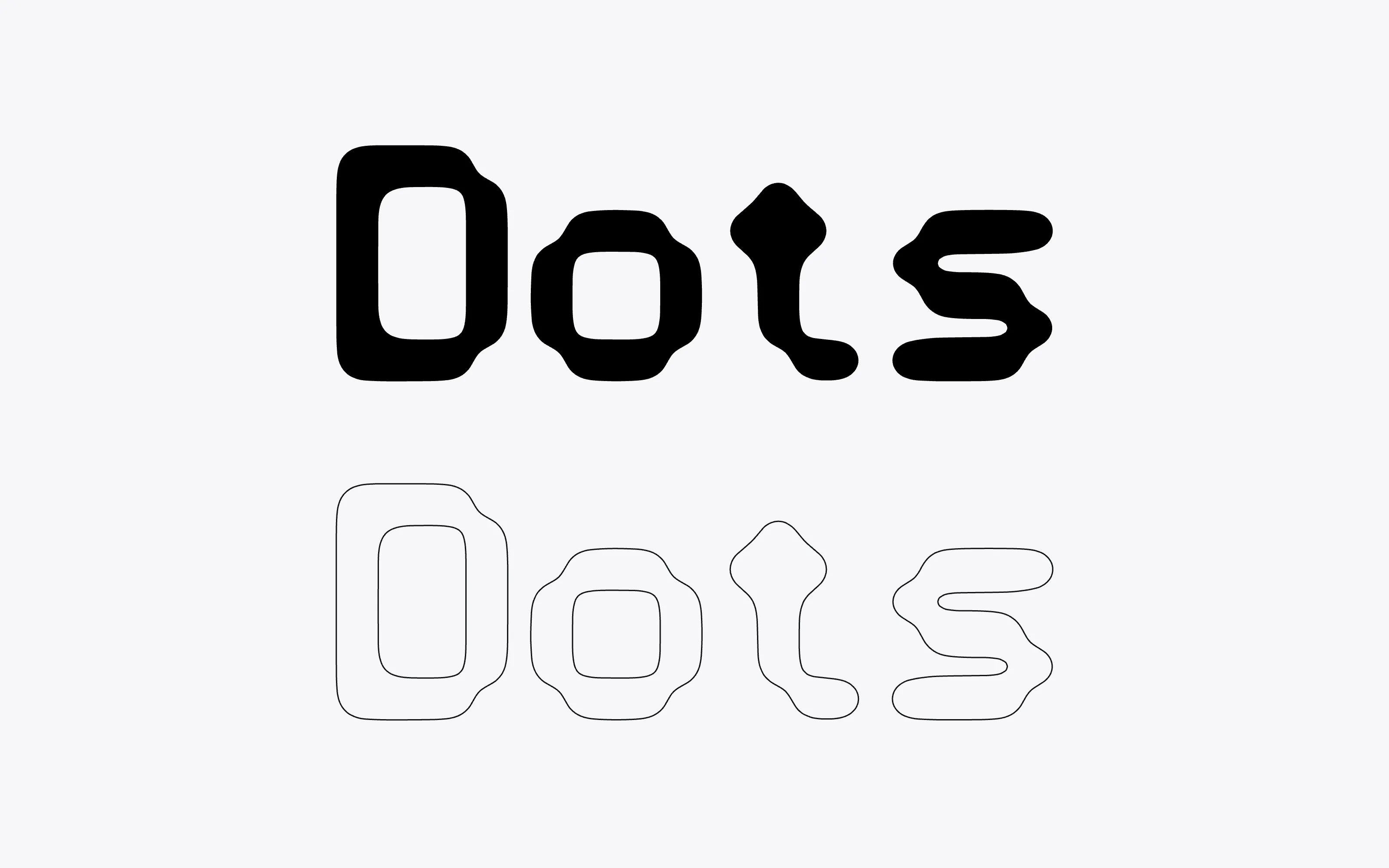
What is on screen is what goes into the file. The typeface exports as an installable OTF with proper metrics, a wider or taller face as a family of its own, and set text as an SVG.
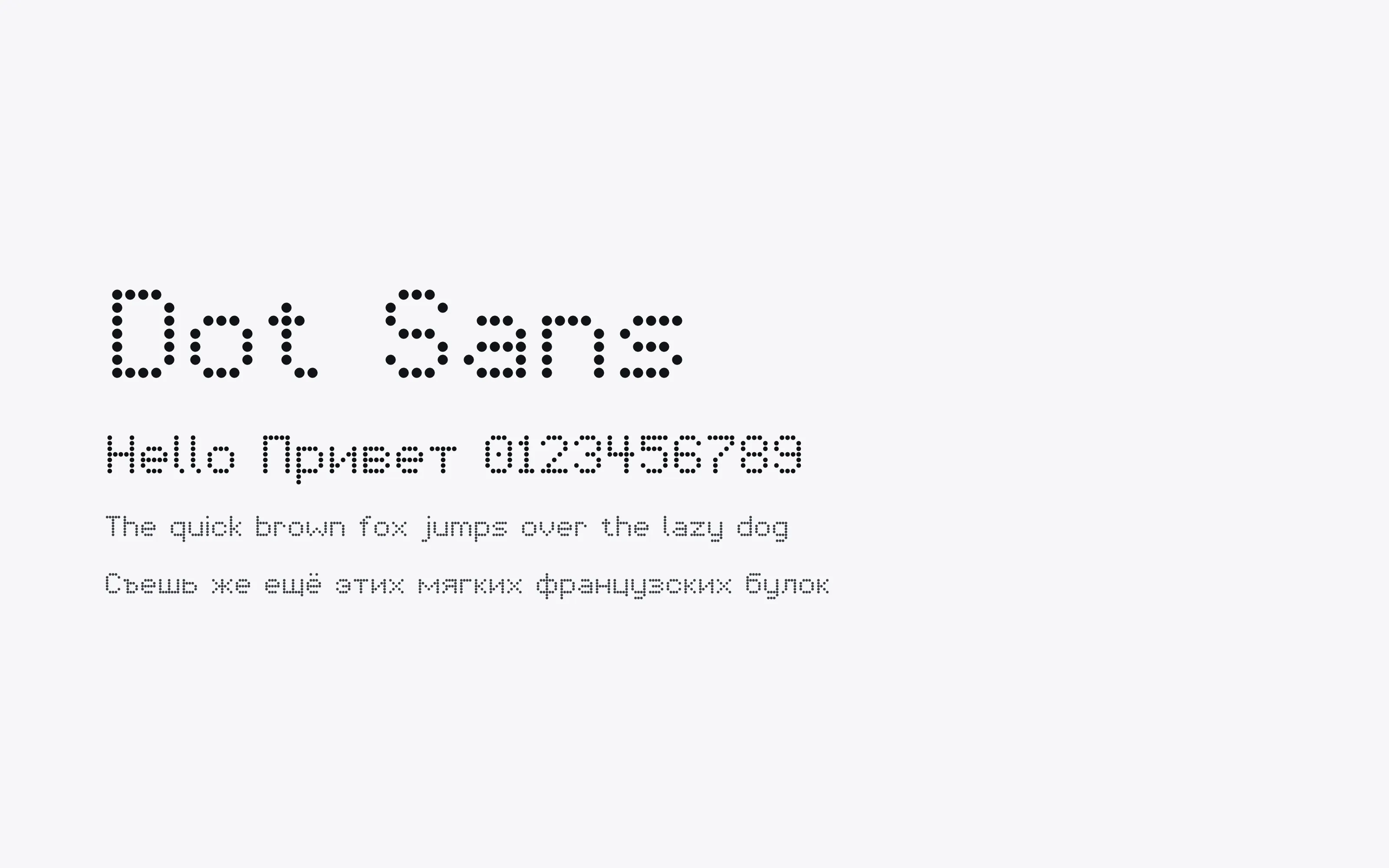
The export menu: white or black, the family name, then OTF or SVG.
The exported OTF loaded by a browser as an ordinary web font and set in Latin and Cyrillic.
Set text exported as SVG is a single path, not a stack of separate dots: clean to edit and to scale.

Visual language

The interface is dark and nearly silent: a canvas of dots across the whole screen and one panel. Geist for labels, Geist Mono for values, no accent colour; the only graphics on screen are the dots themselves.
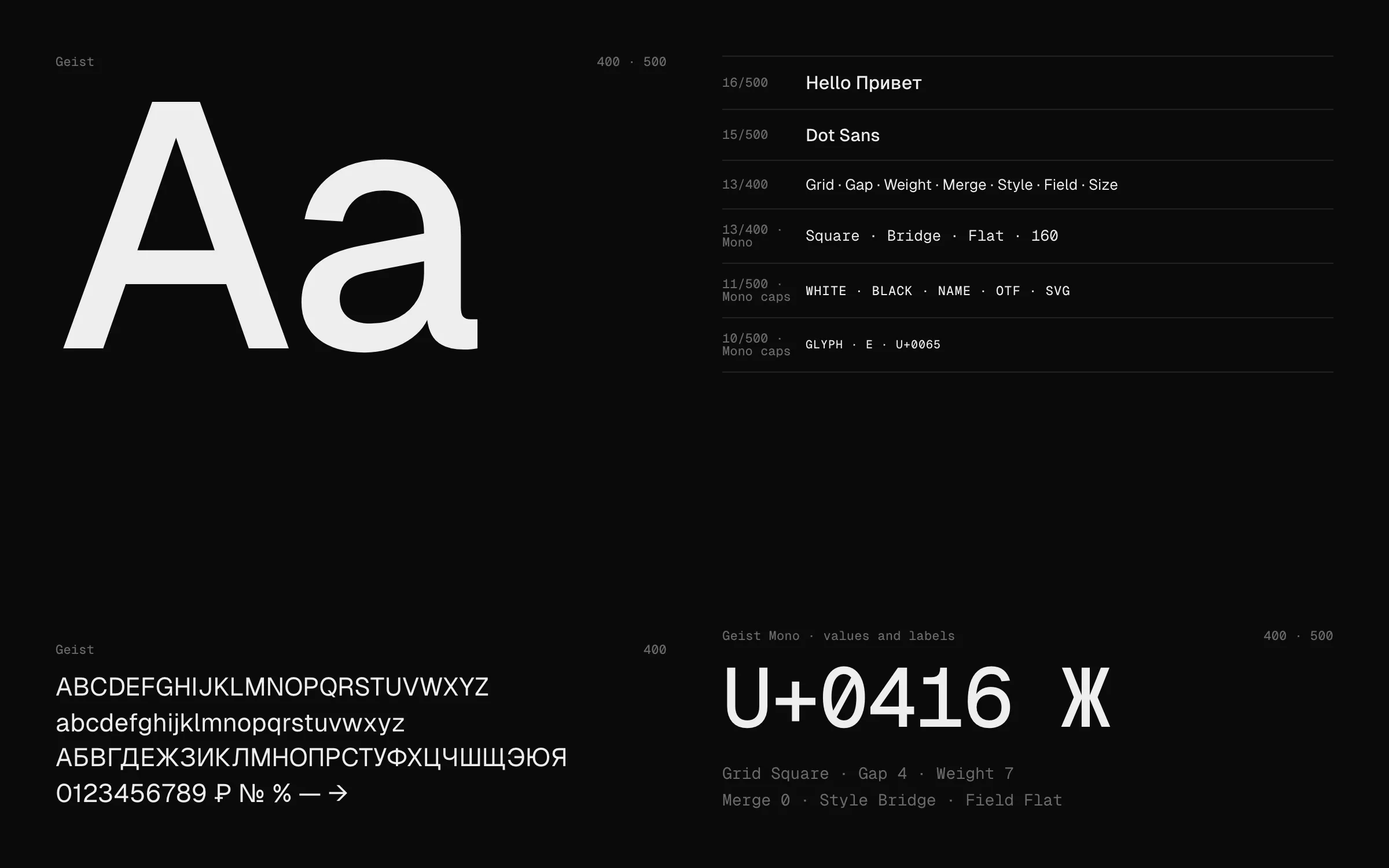
Geist and Geist Mono: the panel’s labels, values and the glyph view’s small caps.
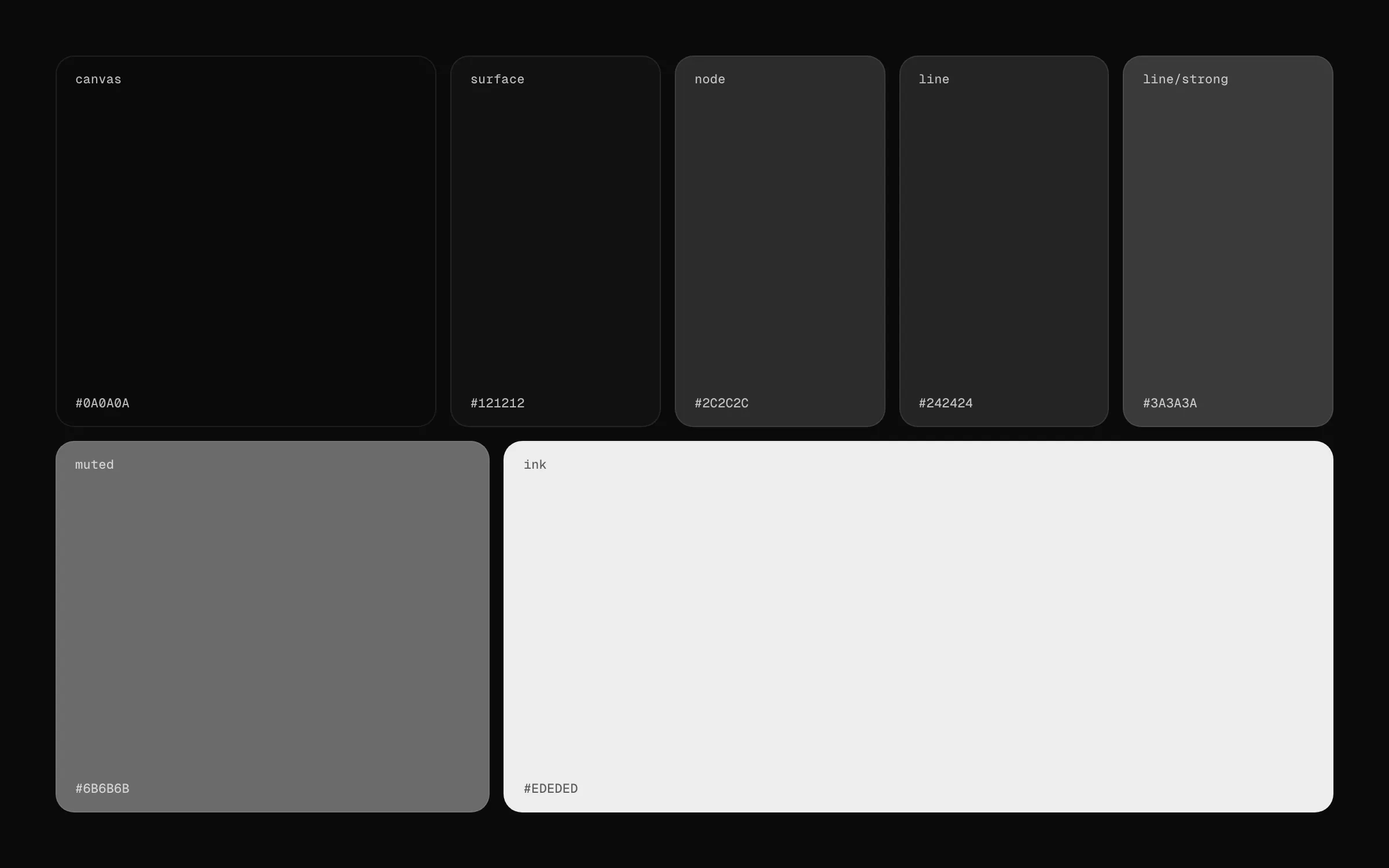
Greys only: the canvas, the panel, the grid’s nodes and lines, and the ink of the dots.

Results

The studio tunes its dotted typeface right in the browser, without a heavy editor. The tool itself is the picture at the top of this page: on a computer, scroll until it fills the screen and it is yours, to build a dotted face of your own and take it away as an OTF.
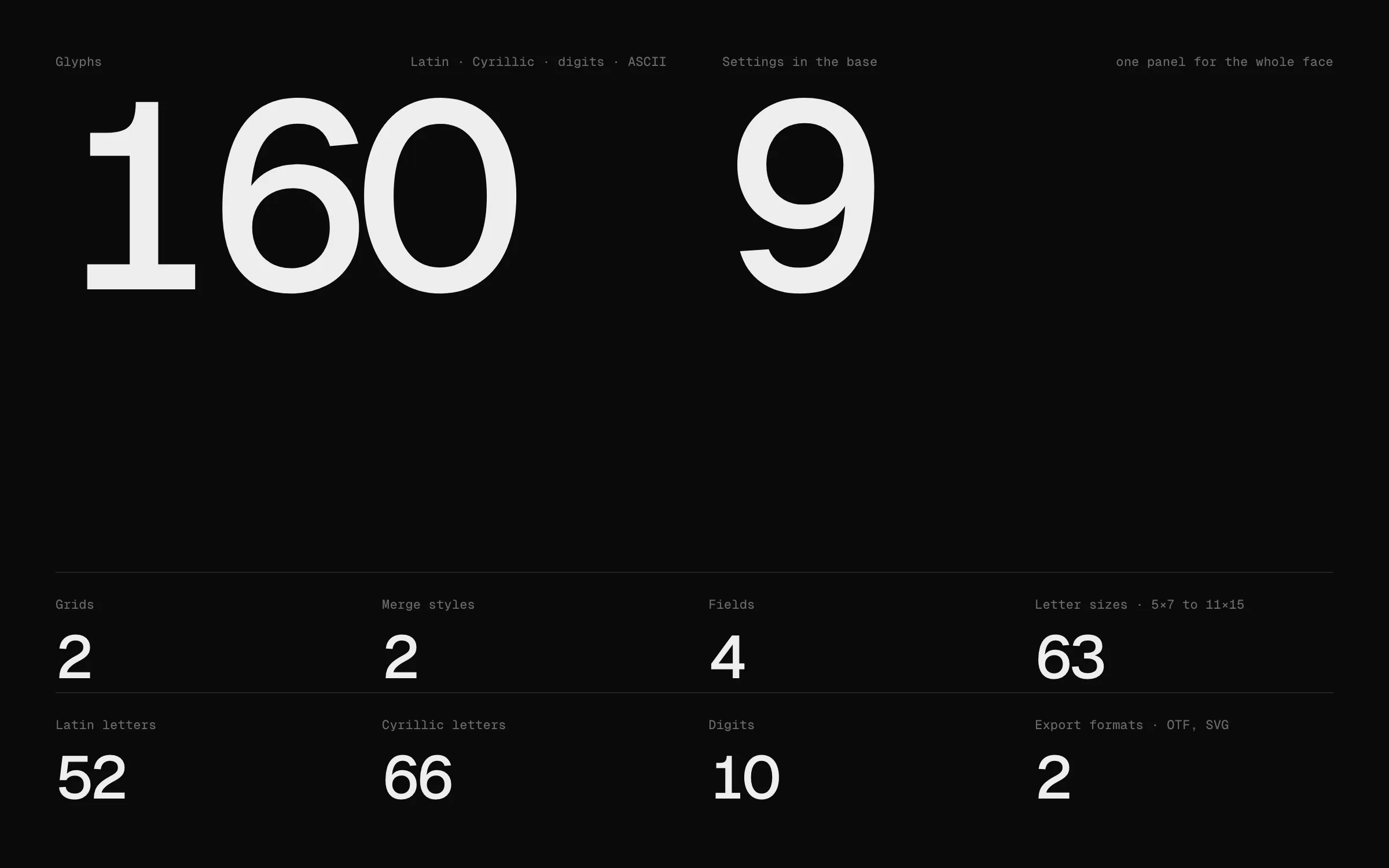
The tool in numbers, counted from its code.