Konstantin Zudov

Saint Petersburg

Open to relocation and remote work

Experience

  1. Founder at Neurica

    2026 — present

    My own studio: we take on products for clients as a contractor and carry them from research to working code.

    • Inosago: online car insurance with a customer side, a sales workspace and an admin panel, 64 screens for four roles.
    • Monogrid: portfolio sites and client albums for photographers, designed and built to production.
  2. UX/UI designer, pilot project at Konsol.Pro

    2026

    Pilot in the design department: a multi-agent system that turns a product manager’s PRD into screens built from the company design system, without designers. Agents check the PRD for gaps and review every result.

    • 3 products and 320+ screens built entirely from design-system components.
    • Rebuilt the Lovable pilots from existing components and cut their technical debt.
  3. Design Lead, HR-tech at AlfaStrakhovanie

    2024–2026

    Internal ecosystem: org structure, business travel, bonuses, payroll and corporate healthcare. Contracted through Intelsy.

    • Made prototyping 3× faster with AI tools (Figma Make) and a leaner approval flow.
    • Built the design system with tokens and semantic versioning of components.
  4. Creative Director / DesignOps at Intelsy

    2023–2026

    Led the design department across internal and client products: strategy, hiring, quality control, handoff rules and regular crits.

    • Grew the design department’s profitability by 11% a year.
    • Launched 3 internal AI services: a multi-agent estimator for incoming projects (Neuro Goose), hiring automation and social media automation.
  5. Design Lead, B2B fintech at Moscow Exchange

    2023–2024

    Professional B2B bookbuilding platform for collecting orders and allocating securities in placements. Contracted through Intelsy.

    • Rebuilt the missing requirements through stakeholder interviews and aligned them with business, IT and compliance.
    • Designed roles, permissions and edge cases; delivered interactive prototypes and specs.
  6. Senior Product Designer, e-mobility at Wize, UAE

    2022–2023

    Ecosystem for commercial electric vehicles in Dubai: a driver app and a battery monitoring platform, 50+ back-office and 15 app screens under one set of interface standards.

  7. Senior Product Designer, social / gamification at Overclout, Thailand

    2021–2022

    Social network with gamification for the Thai market: feeds, profiles, game mechanics and UX localisation, within Flutter’s constraints.

  8. Art Director at Newmen

    2019–2021

    Digital client projects.

  9. Art Director at STEM

    2017–2019

    Visual identity systems for corporate events.

Education

  • 2008 Ural State University of Architecture and Art Faculty of Design, Yekaterinburg
  • 2024 Systems management of organisations (MBA) Simbirsk-LINK
  • 2024 Innovation through Design: Think, Make, Break, Repeat The University of Sydney, Coursera
  • 2024 Introduction to TRIZ Sergey Gorpinenko
  • 2023 Google UX Design, 5 courses Google, Coursera

Languages

  • Russian — native
  • English — B1
  • Spanish — A1

Skills

  • UX
  • UI
  • Design systems
  • Usability
  • Figma
  • Framer
  • Webflow
  • Pixso
  • Spline
  • Agile
  • MVP
  • LLM
  • Multi-agent systems
  • Prompt engineering
  • Claude Code
  • Cursor
  • Lovable
  • Bolt.new
  • ComfyUI

Contacts

Monogrid

Portfolio site and client albums for photographers: upload the work, pick a theme, send the link.

Client
Monogrid
Contractor
Neurica, my studio
Dates
2026
Role
Product design, frontend
Platforms
Web, mobile web
Category
  • UX/UI
  • Frontend
Website
monogrid.ru

Overview

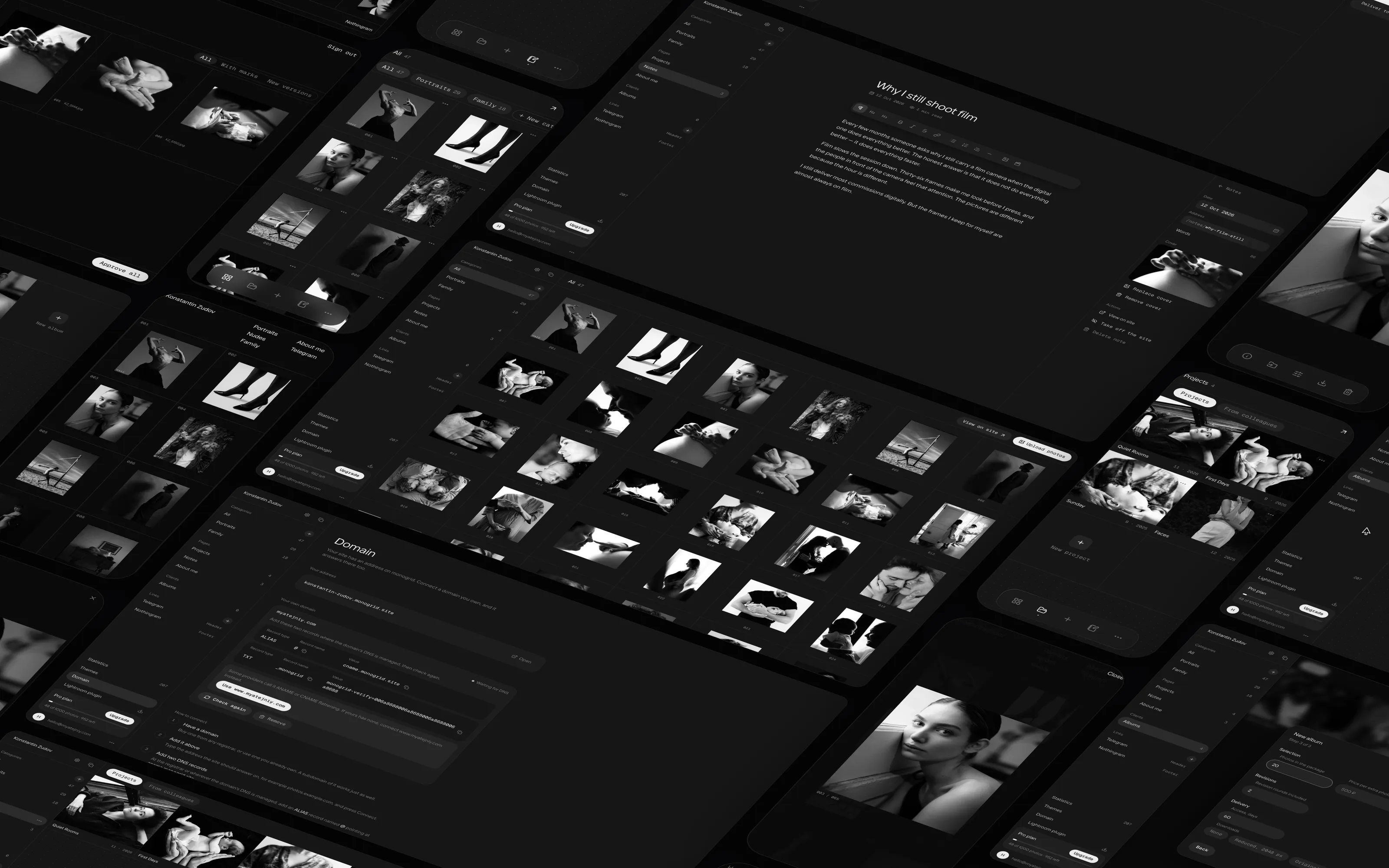
Monogrid brings a photographer’s portfolio and client work into one place. The photographer uploads a shoot to the studio, sorts it into categories and projects, retouches frames in the built-in editor and gets a clean site on their own domain in a couple of minutes.

Clients get an album by link: they pick frames, leave notes right on the photos and compare retouched versions with the previous ones, so there is no more back and forth in messengers. The interface is almost monochrome and deliberately steps back, so the photographs stay the main thing on every screen.

Problem

  • Photographer platforms have turned into all-in-one suites with CRM, stores and booking. You pay for everything and use the site and the galleries.
  • Website builders ask for a hundred decisions about blocks and spacing, and the sites still end up looking alike.
  • Leaving is hard: the work and the texts stay locked inside the service.

A photographer needs a site with their work and a way to show a shoot to a client. They get sold a suite or a builder instead.

Solution

Drop photos onto the page and the grid lays itself out. Sort them into categories and projects, pick a theme and share the link. For a client, open an album: they mark the frames they like, leave retouching notes right on the photo and approve the result.

Studio

The photographer’s workspace. Everything the site is built from lives here: the photos, pages, client albums, links and settings.
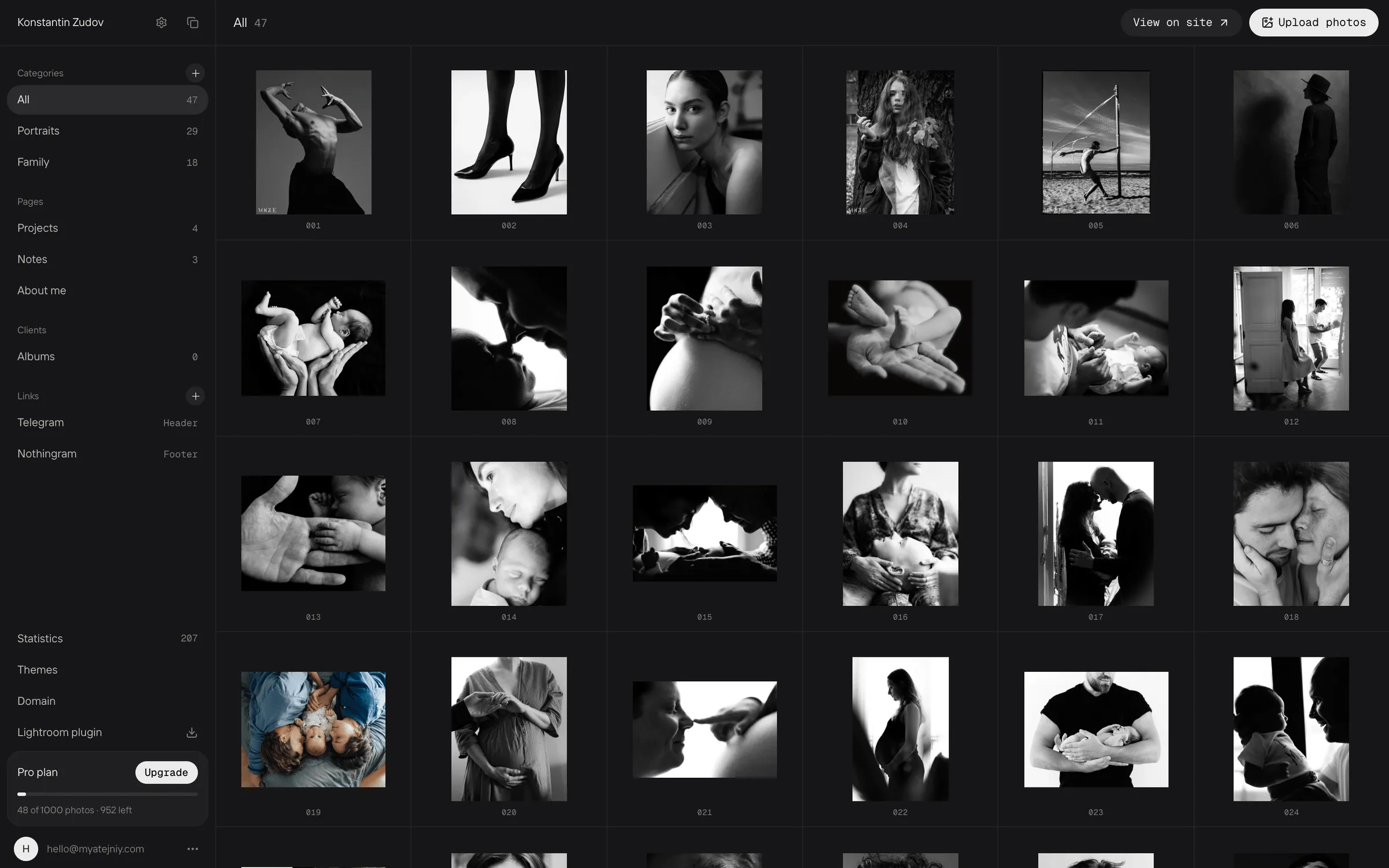
The whole shoot sits in one grid, by category and with frame numbers. On the left is everything the site is made of.
Photos are selected in a few clicks and moved in bulk; uploads show clear progress.
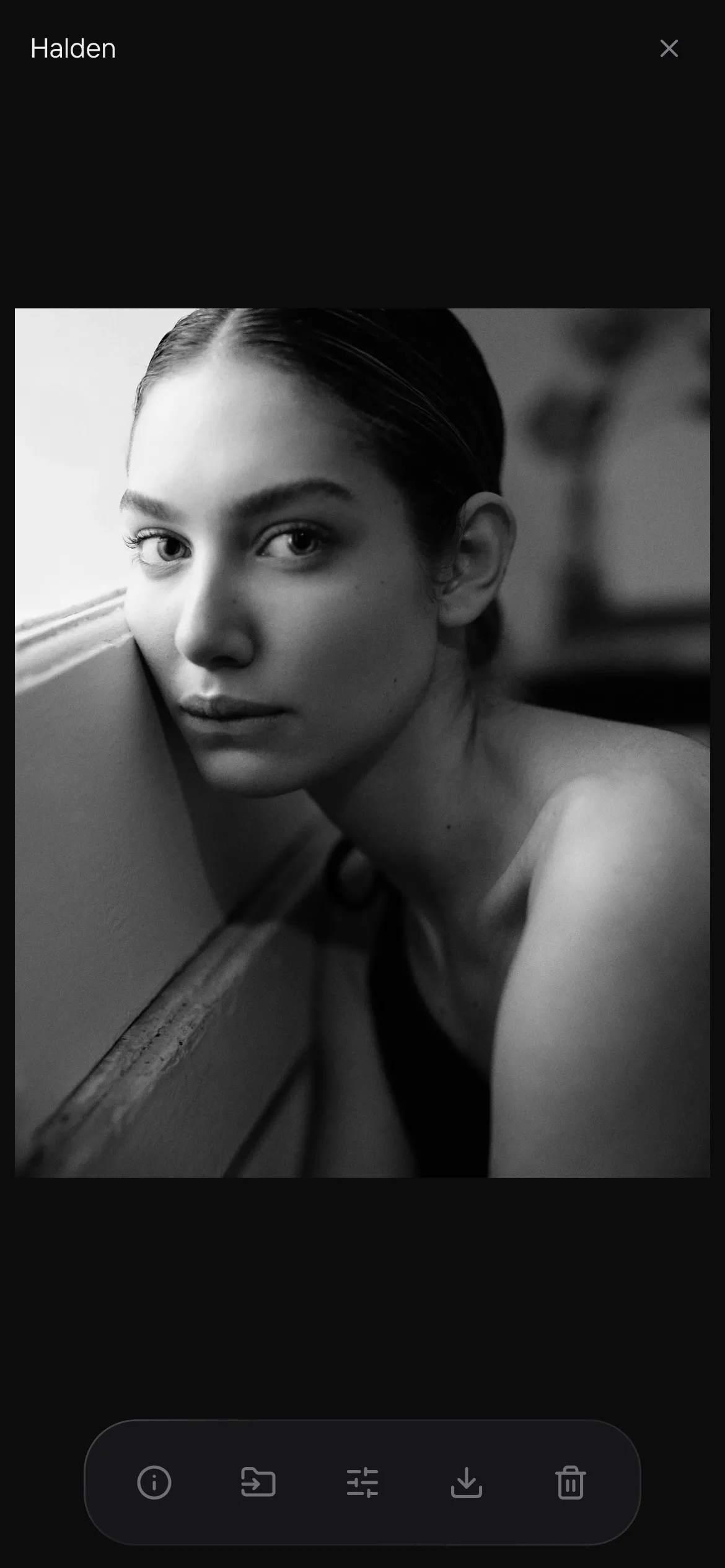
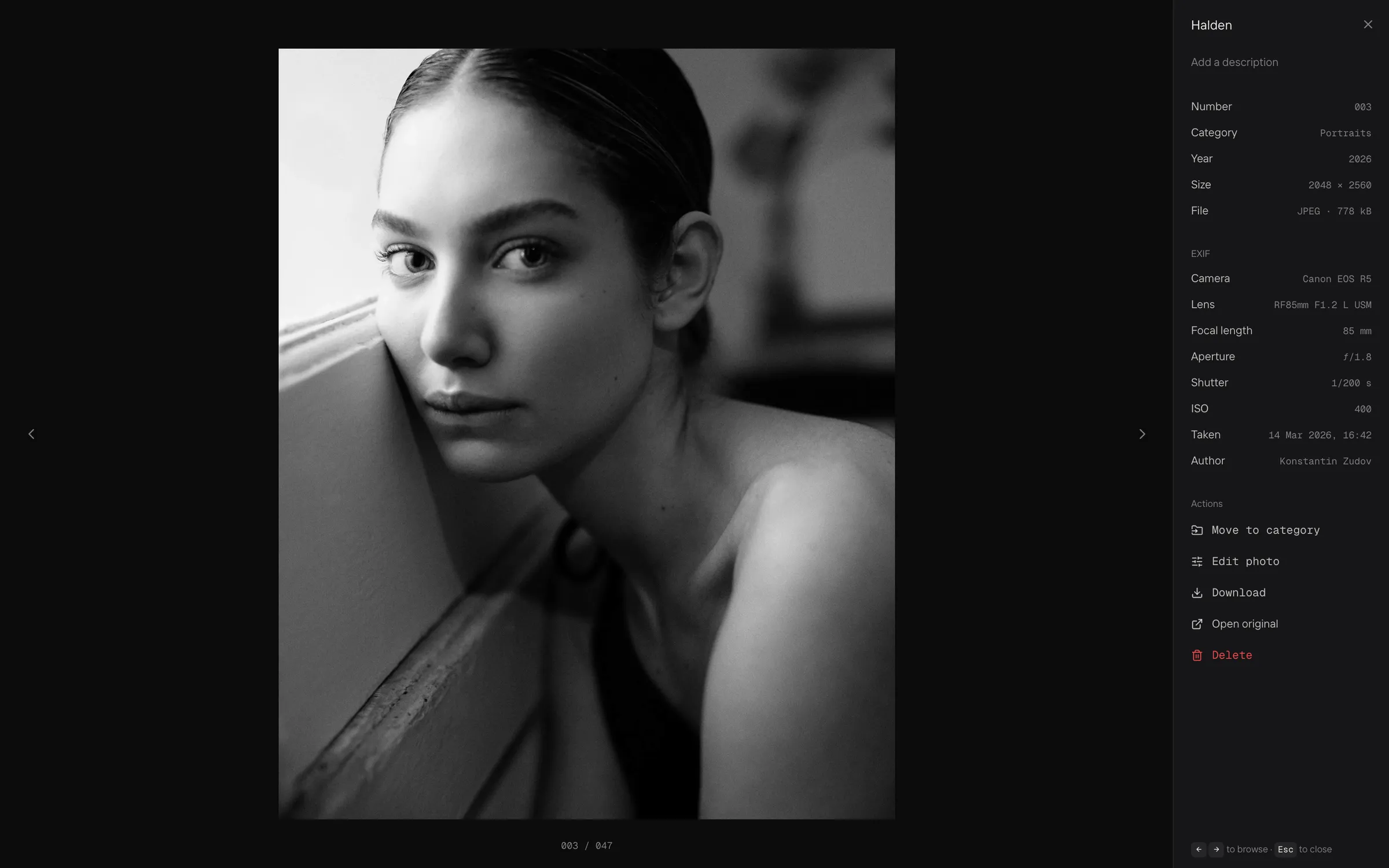
An open frame fills the screen, with its title, category, file size and camera EXIF alongside.
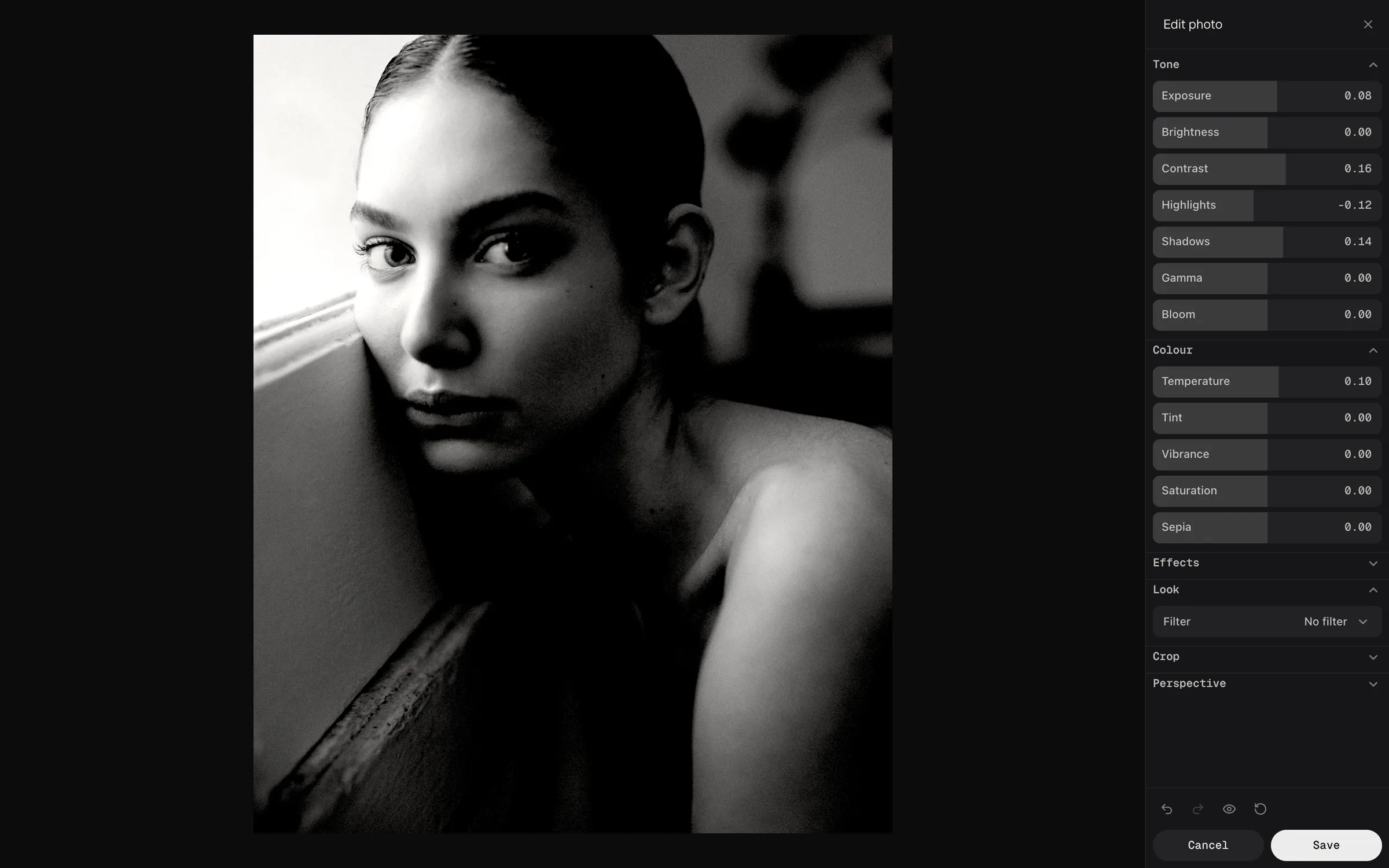
The built-in editor fixes a frame without leaving the service: exposure, contrast, shadows, colour, filters and crop in one panel.
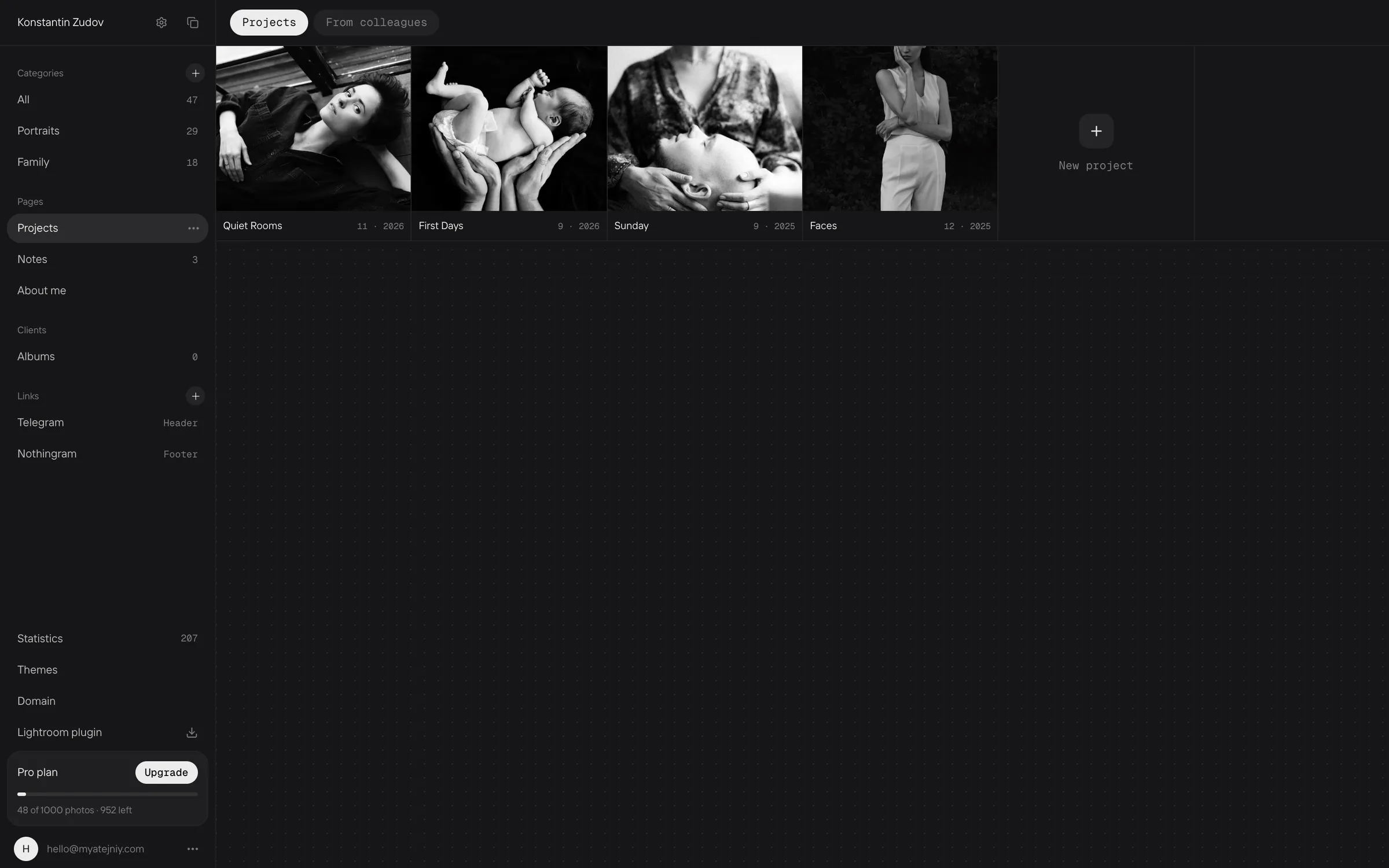
Projects are series shown apart from the main grid, each with its own cover.
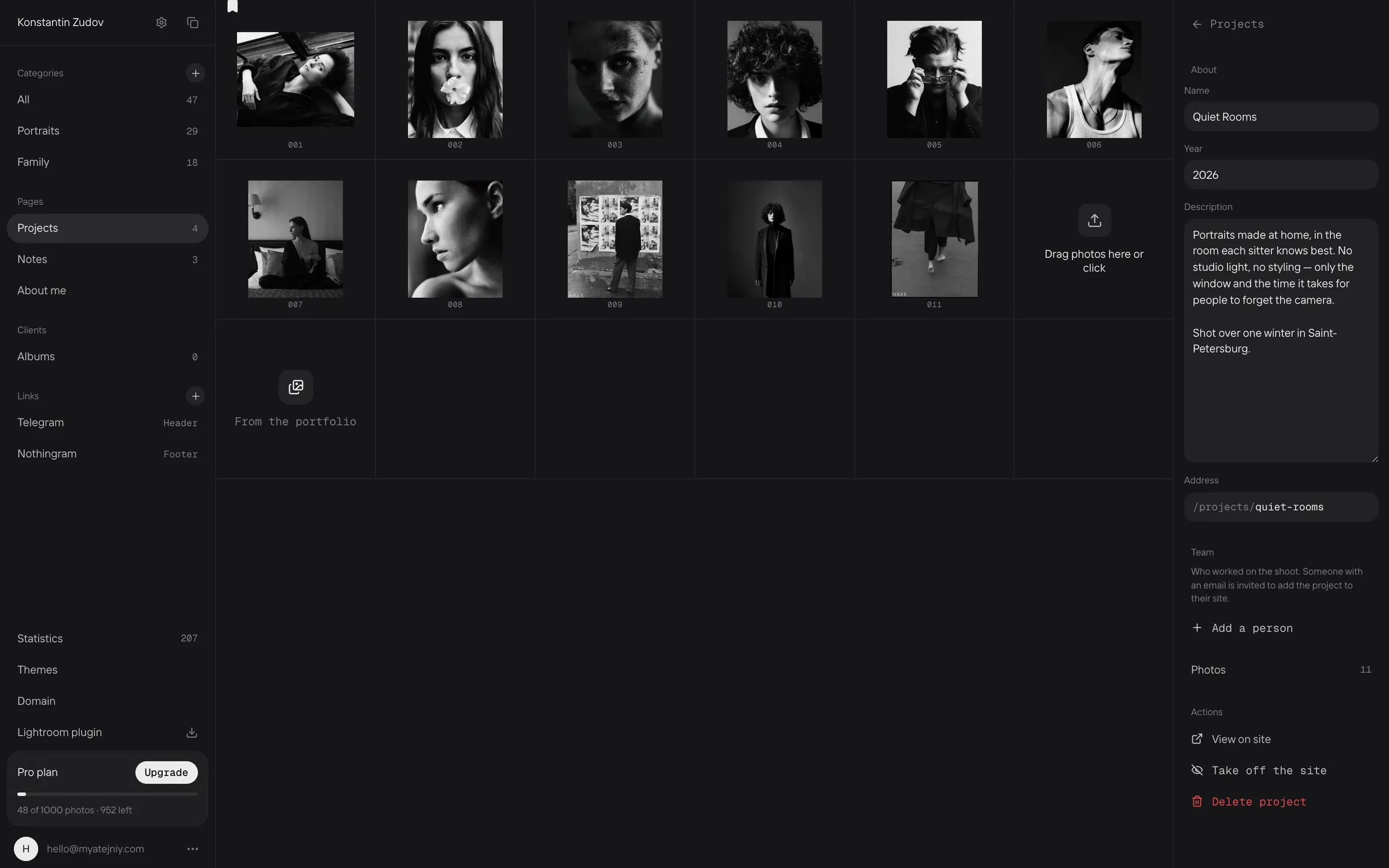
Inside a project: the frames, a description, the address on the site and the shoot crew.
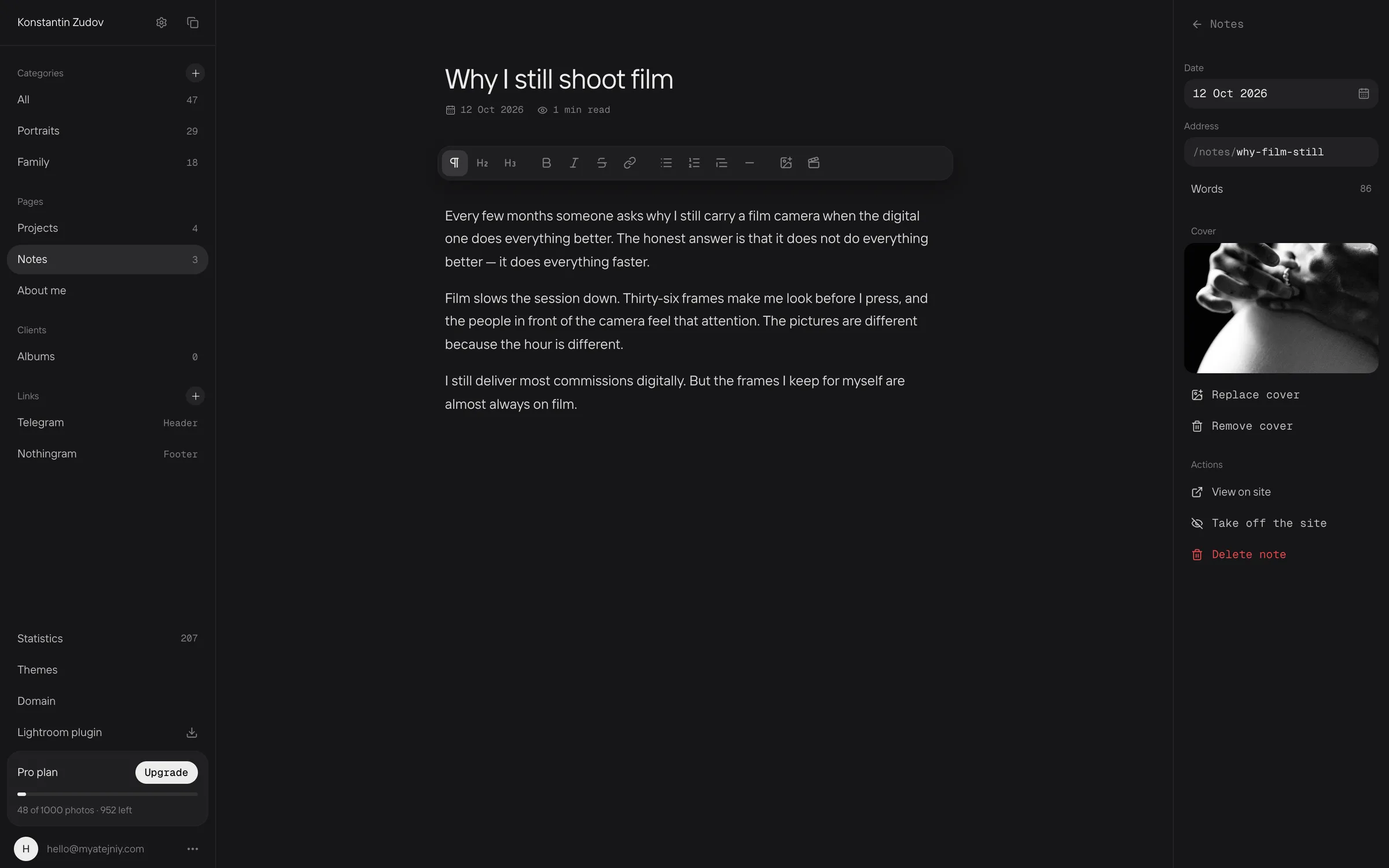
Notes are a small blog inside the portfolio, for the story behind a shoot.

Client albums

An album takes a shoot from the first showing to the final files. The client opens it by link, with no sign-up, and every note stays attached to a frame.
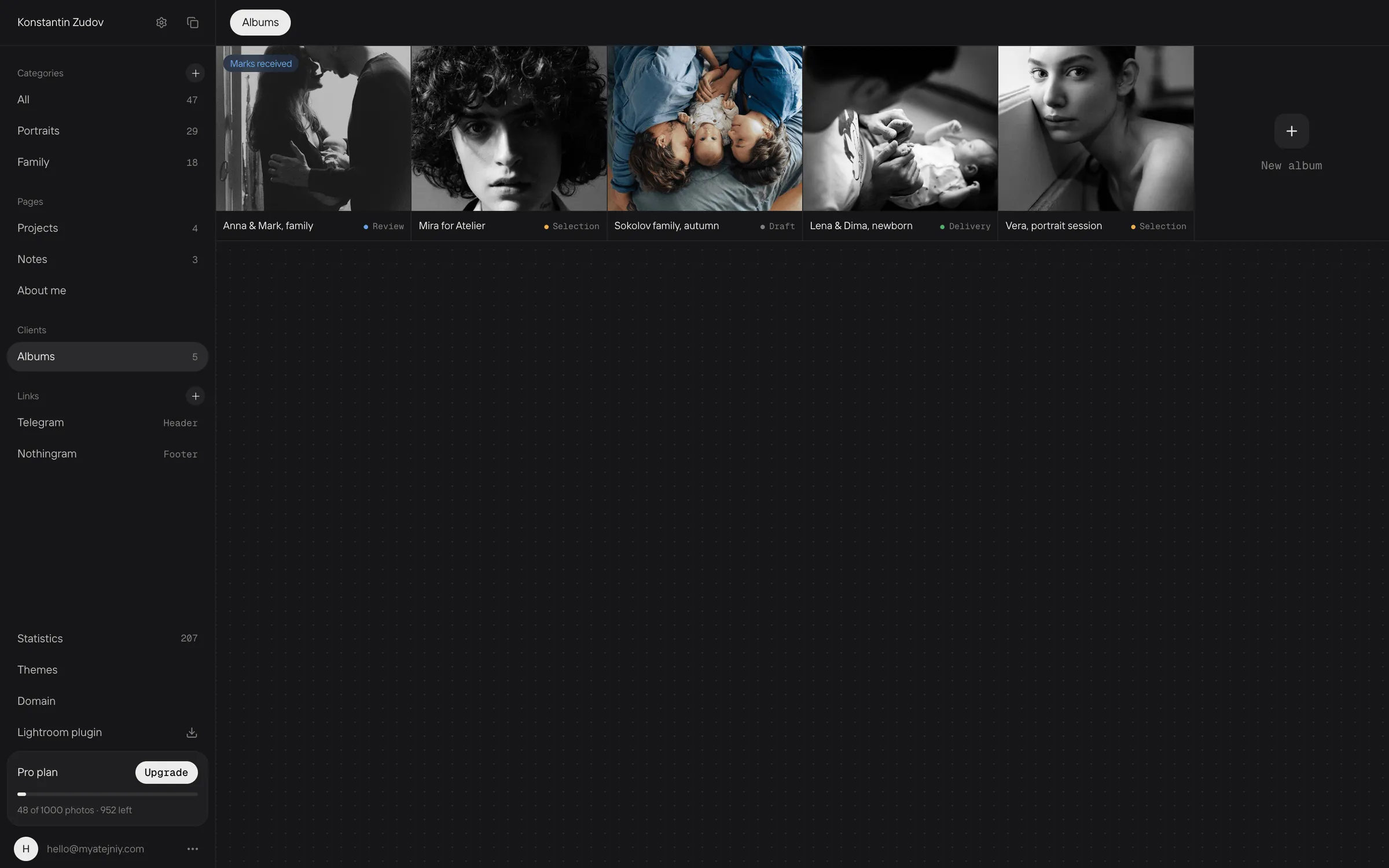
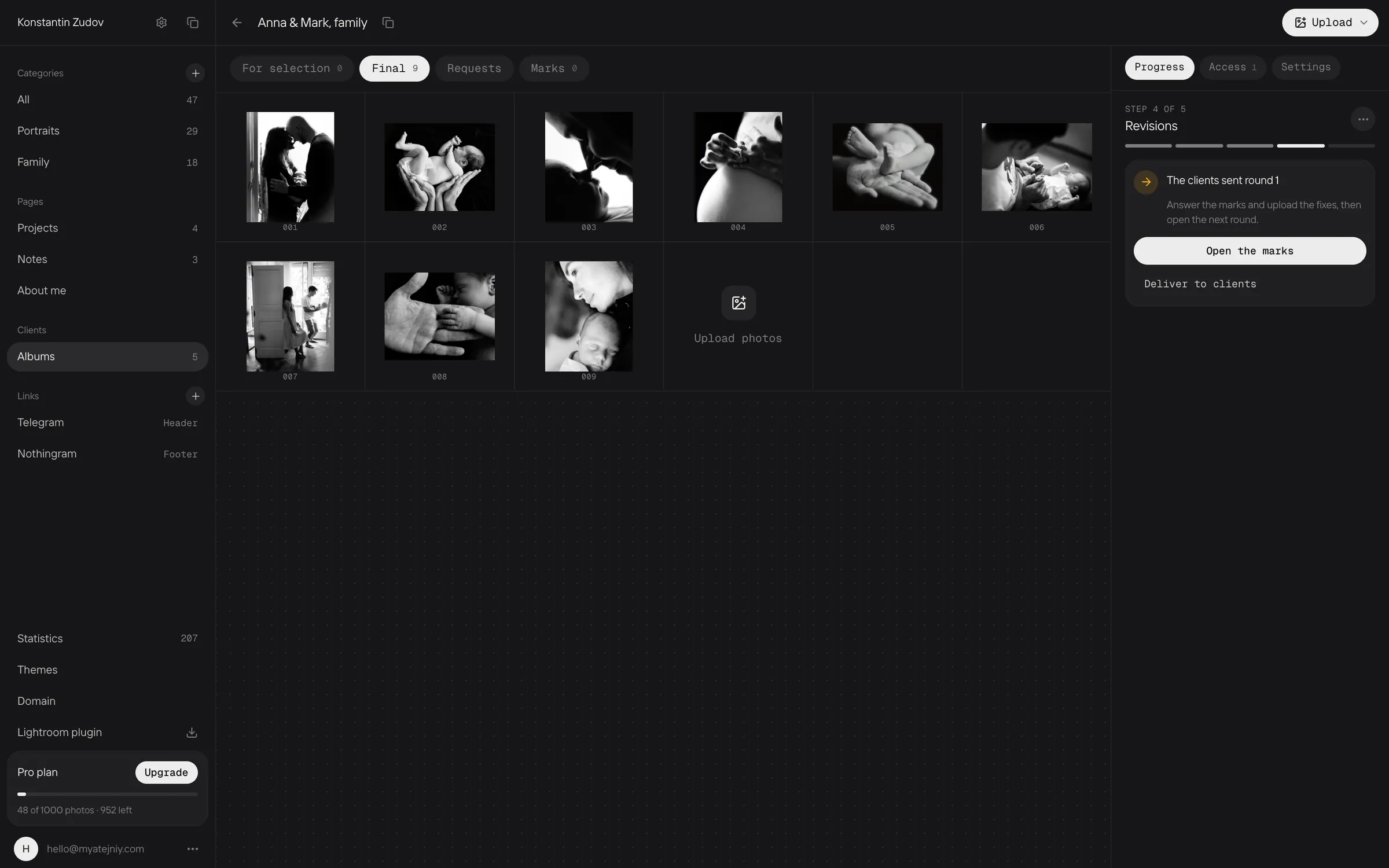
All client albums on one shelf. Each shows its stage: selection, retouching or delivery.
The album shows where the work is and what to do next.
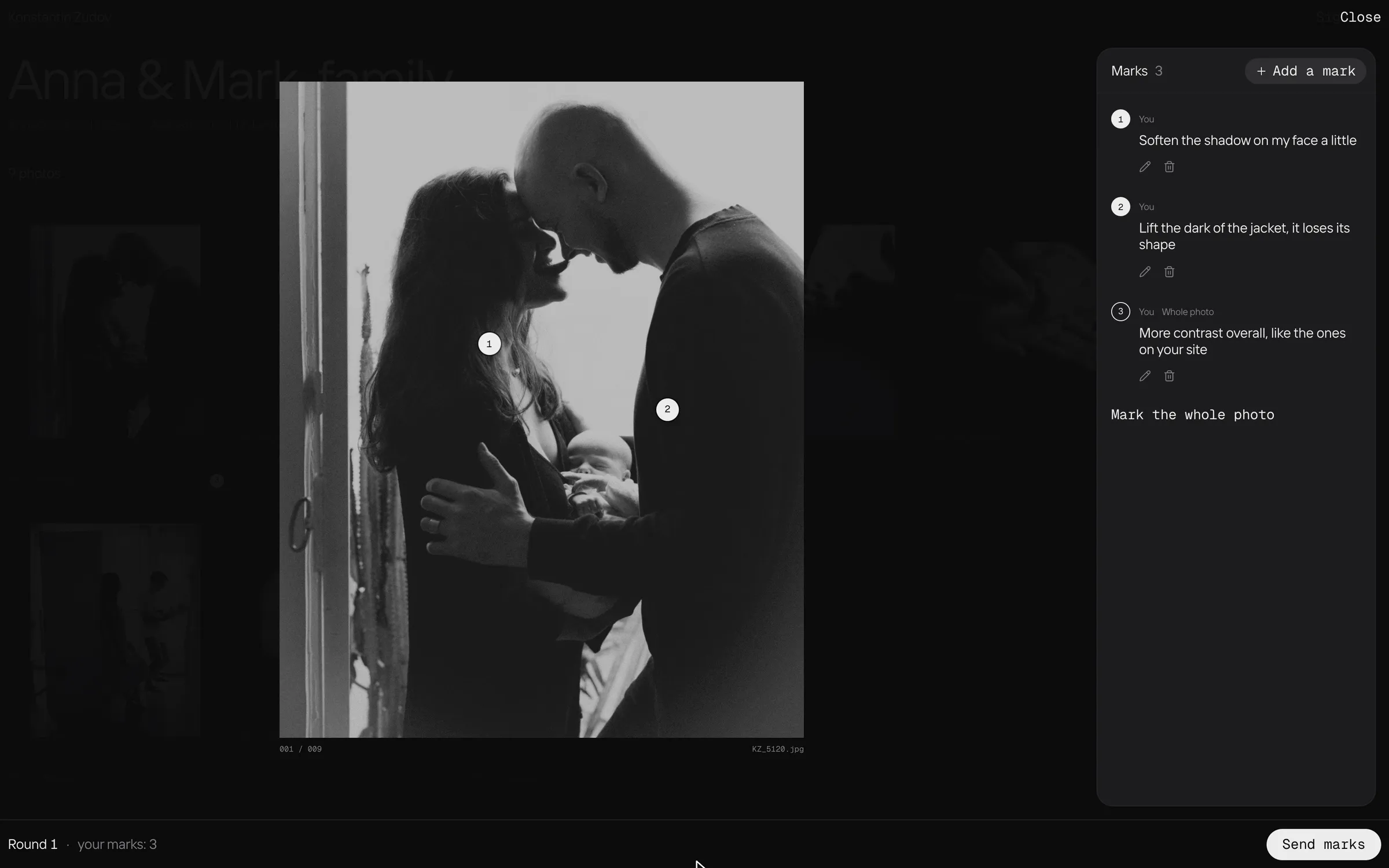
The client drops a point where something needs to change and writes a few words. A whole frame can be marked too.
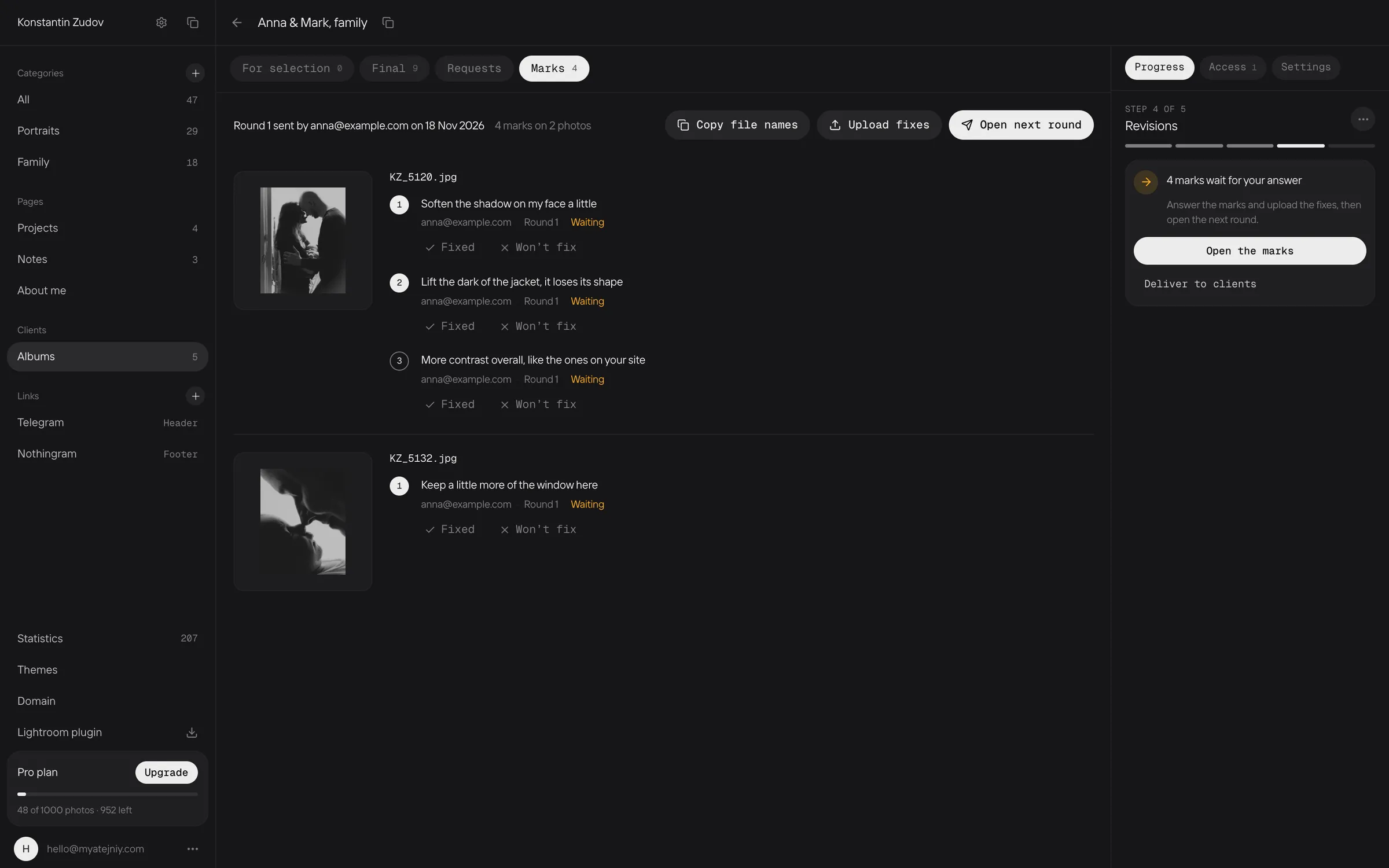
The photographer sees the marks exactly where the client left them.
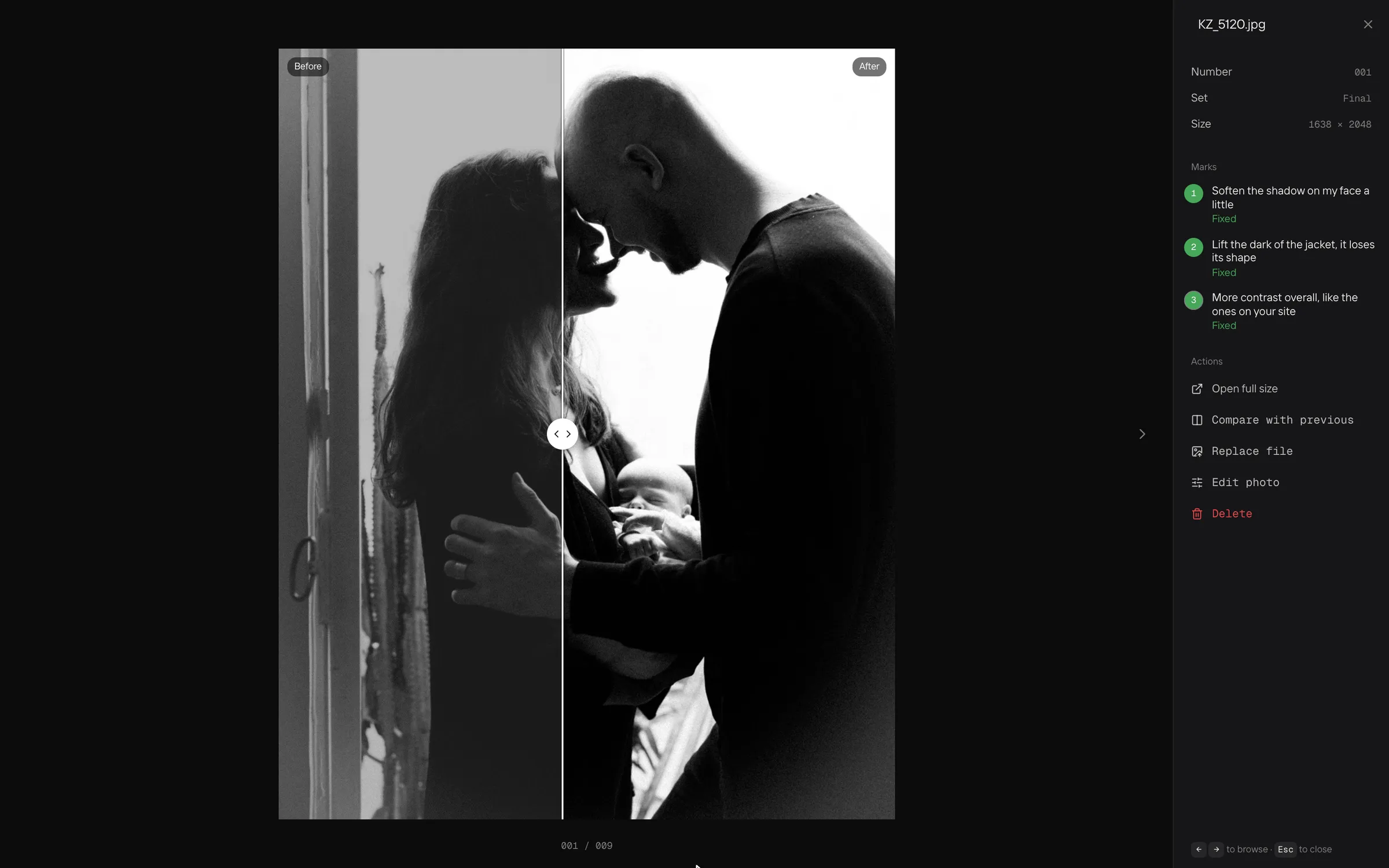
The client marks a frame, the photographer retouches it in the editor, and the result is compared with the previous version in one move.
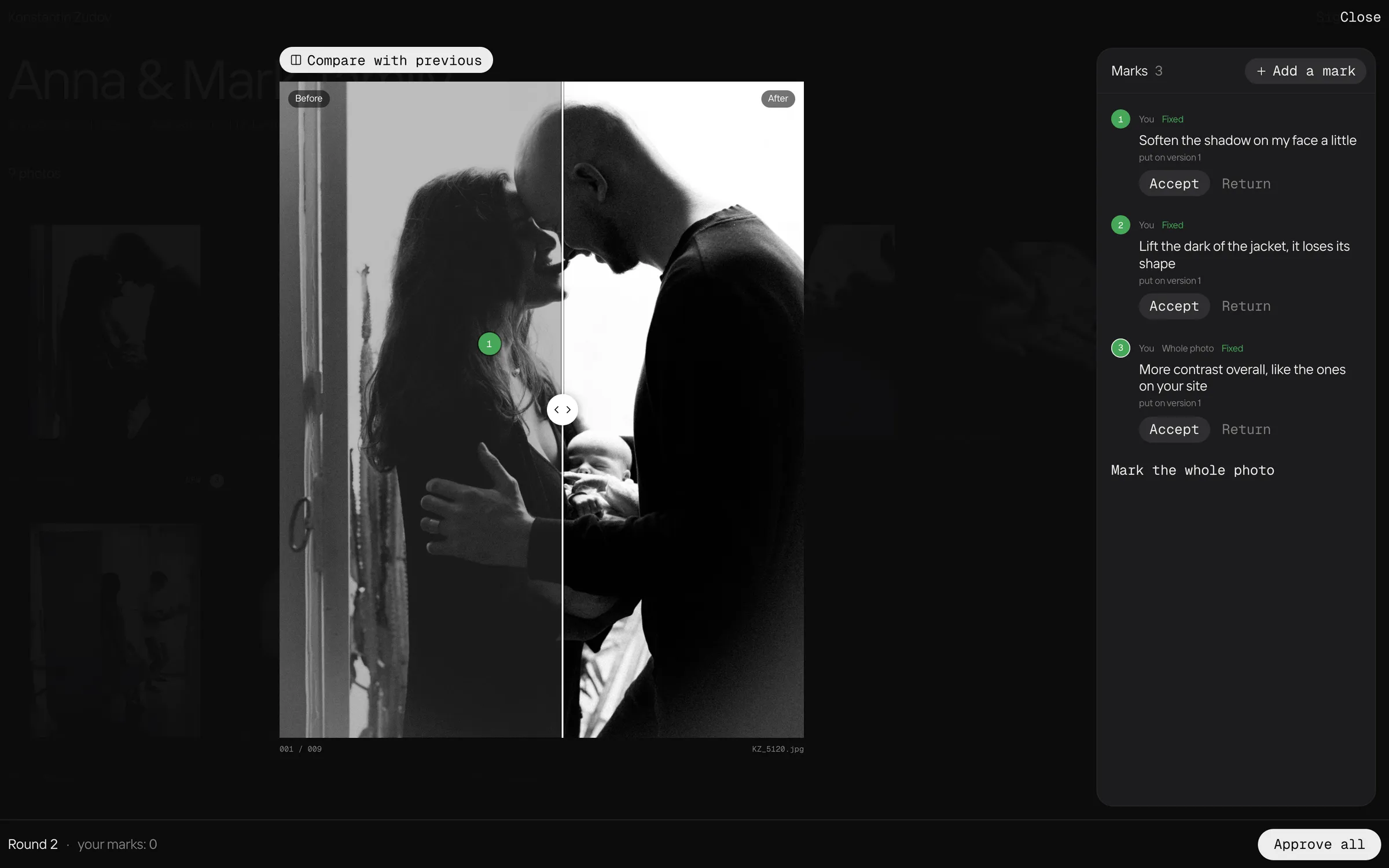
A slider compares the new version with the old one; every note shows whether it is fixed.
The client compares before and after too, so nobody has to take a fix on trust.

Photographer’s site

A strict grid and as little interface as possible. The theme changes live, and the site works on a monogrid address from the start.
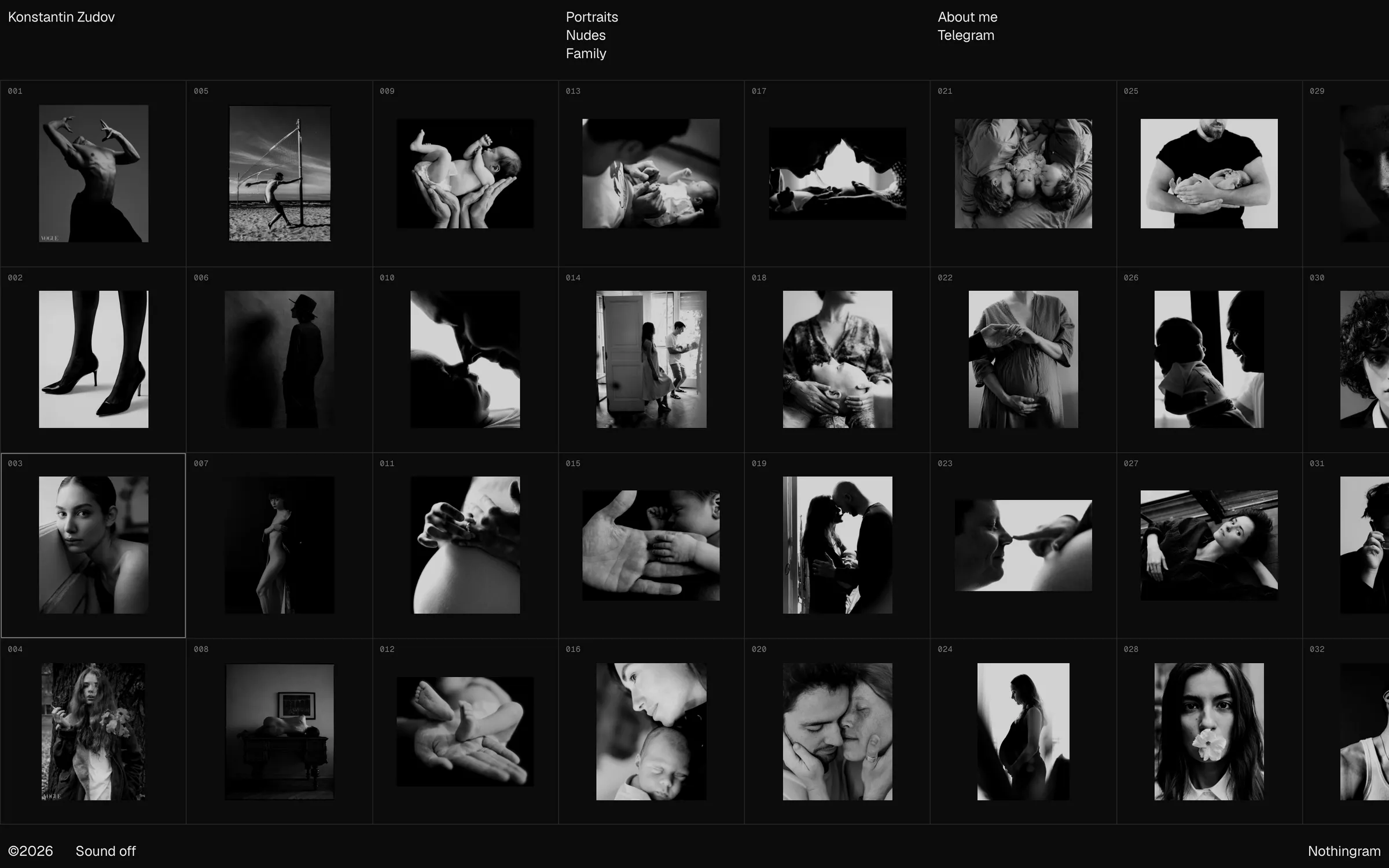
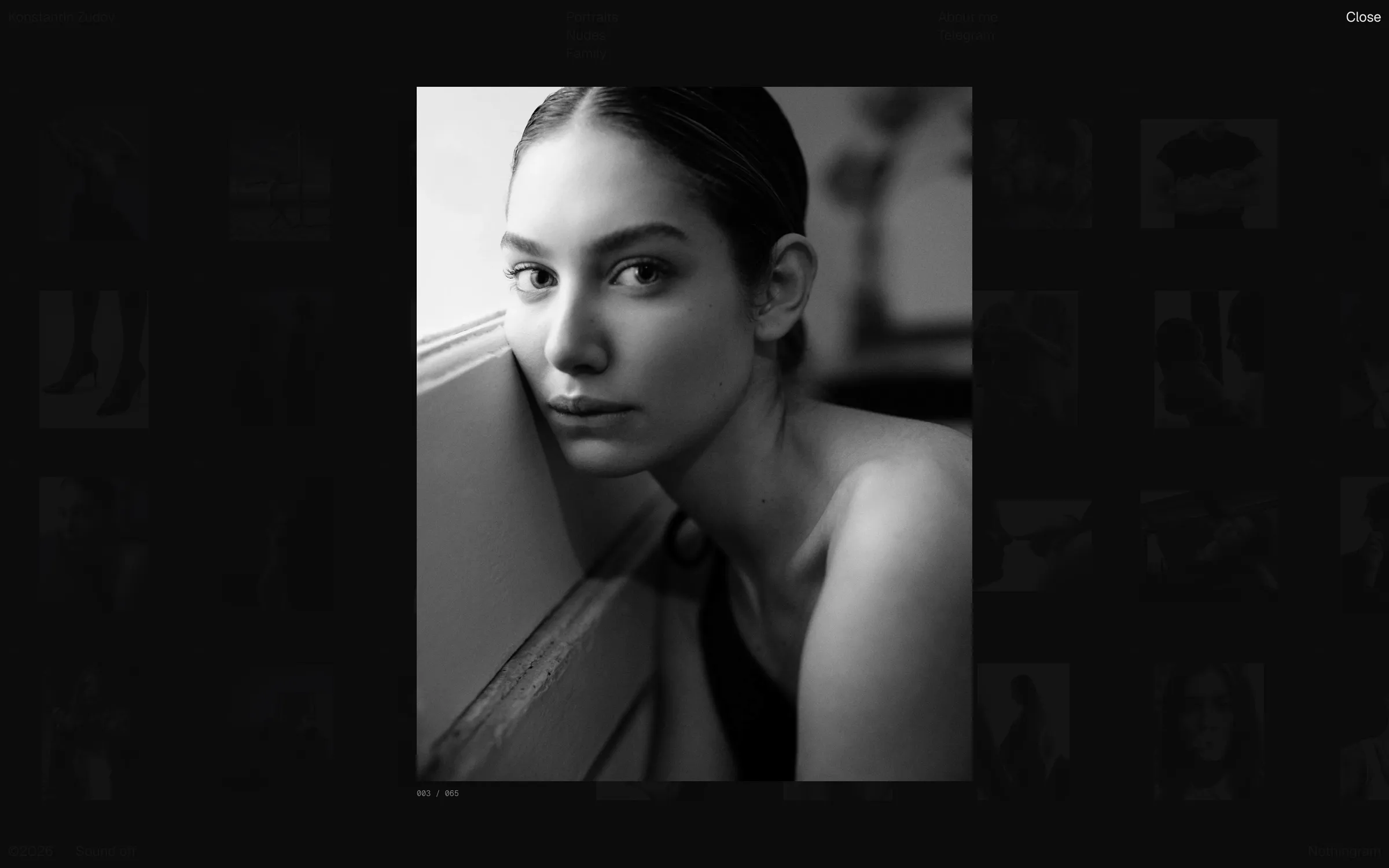
The finished site on the photographer’s own domain.
A frame opens from the grid, and photos follow one another with a soft transition.
An open frame fills the screen; arrows, swipe or wheel move through the series.
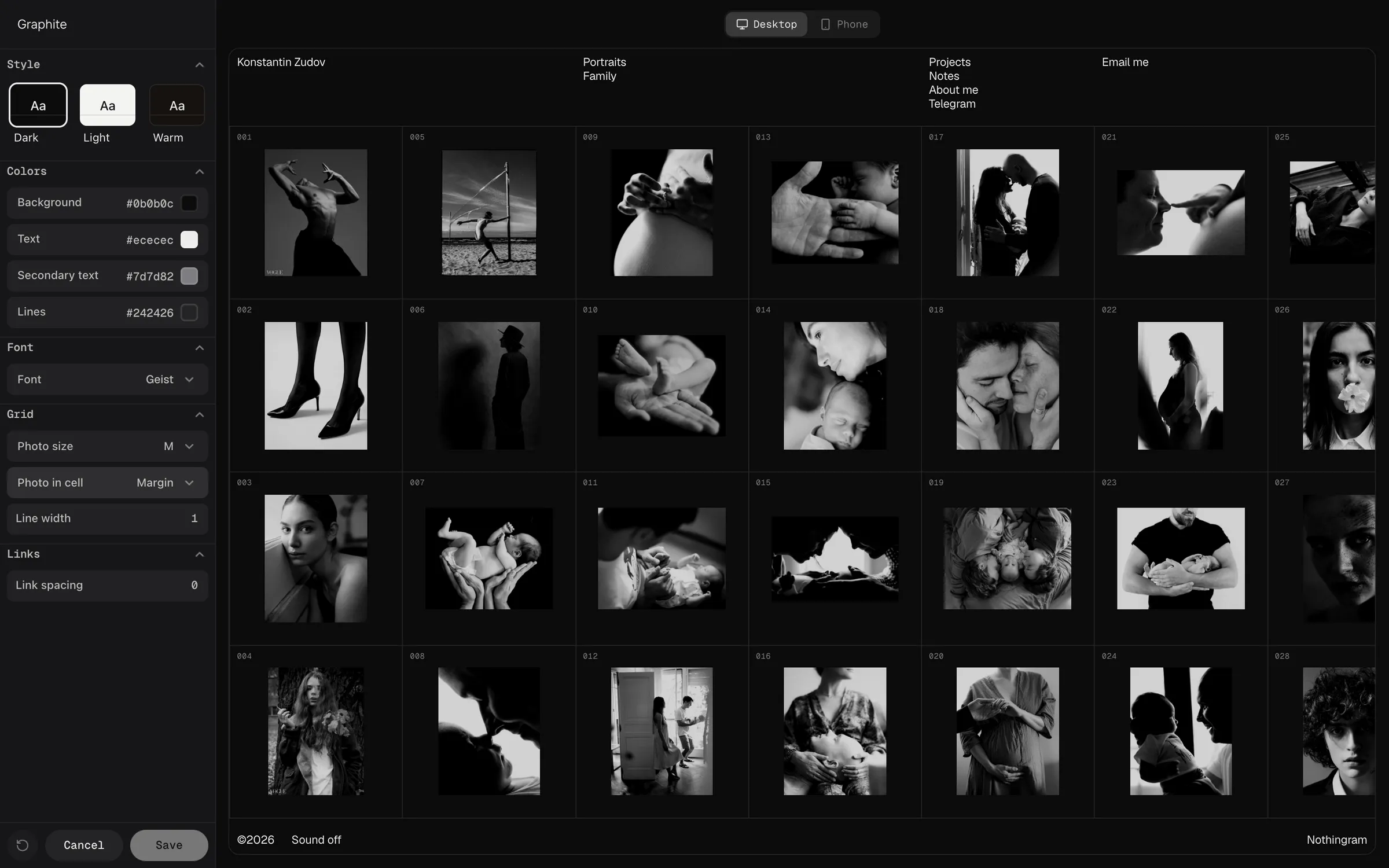
Theme settings change the site in front of you: background, text colours, font, grid size, on desktop and phone.
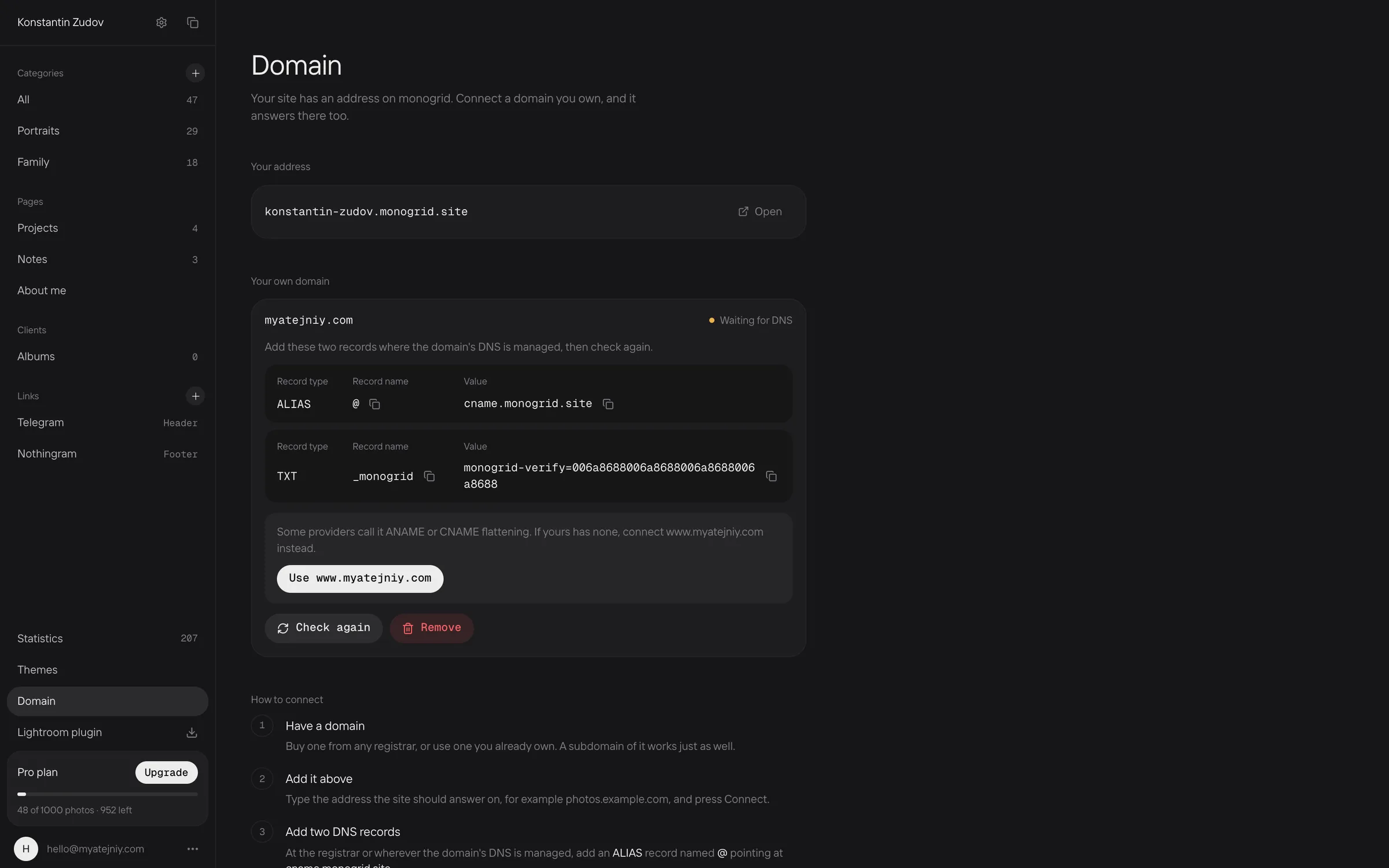
A custom domain connects in a few steps, with DNS records copied in one click.

Sign-in and plans

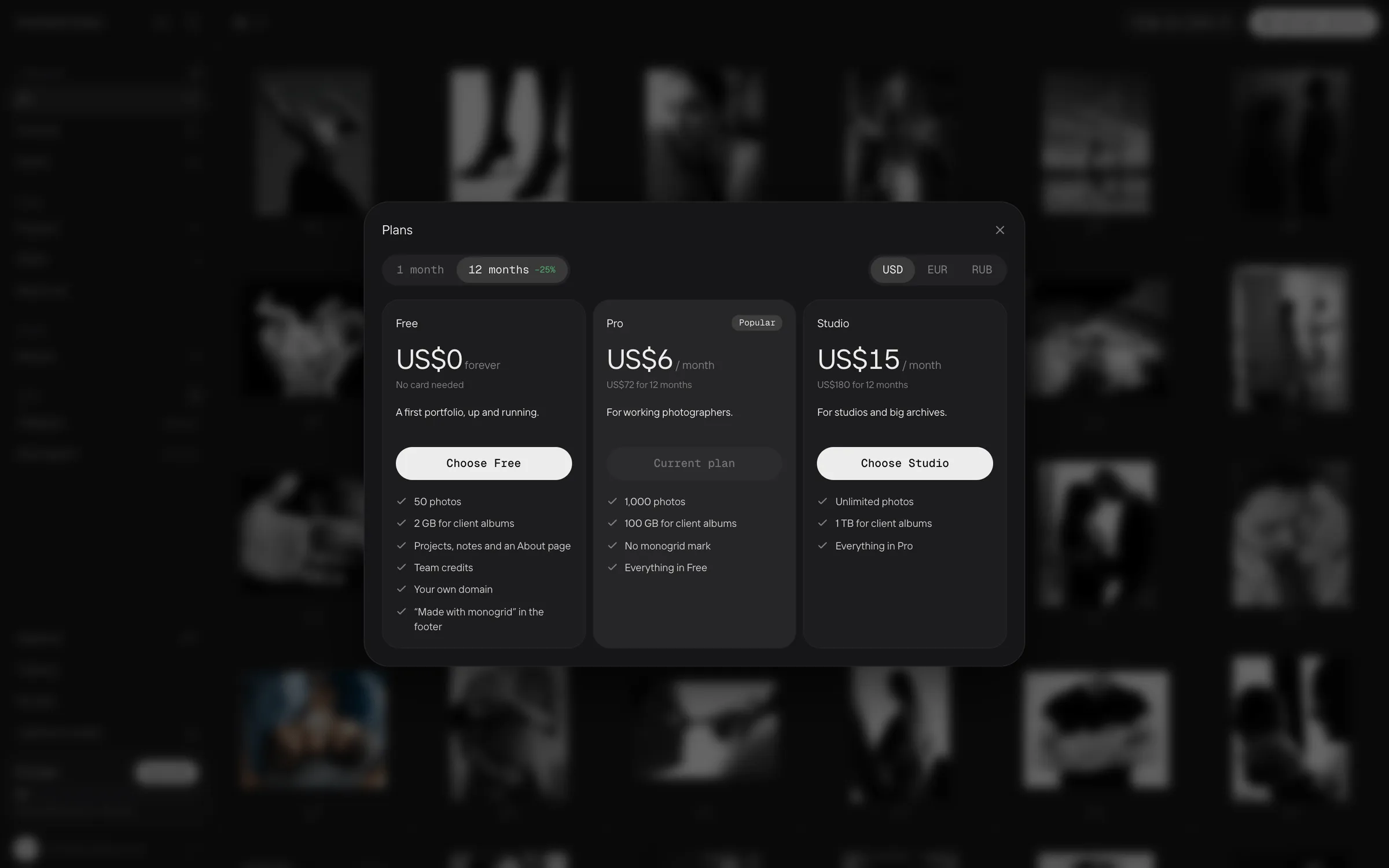
No passwords: an email and a six-digit code. Plans fit in one window, monthly or yearly, in dollars, euros or roubles.
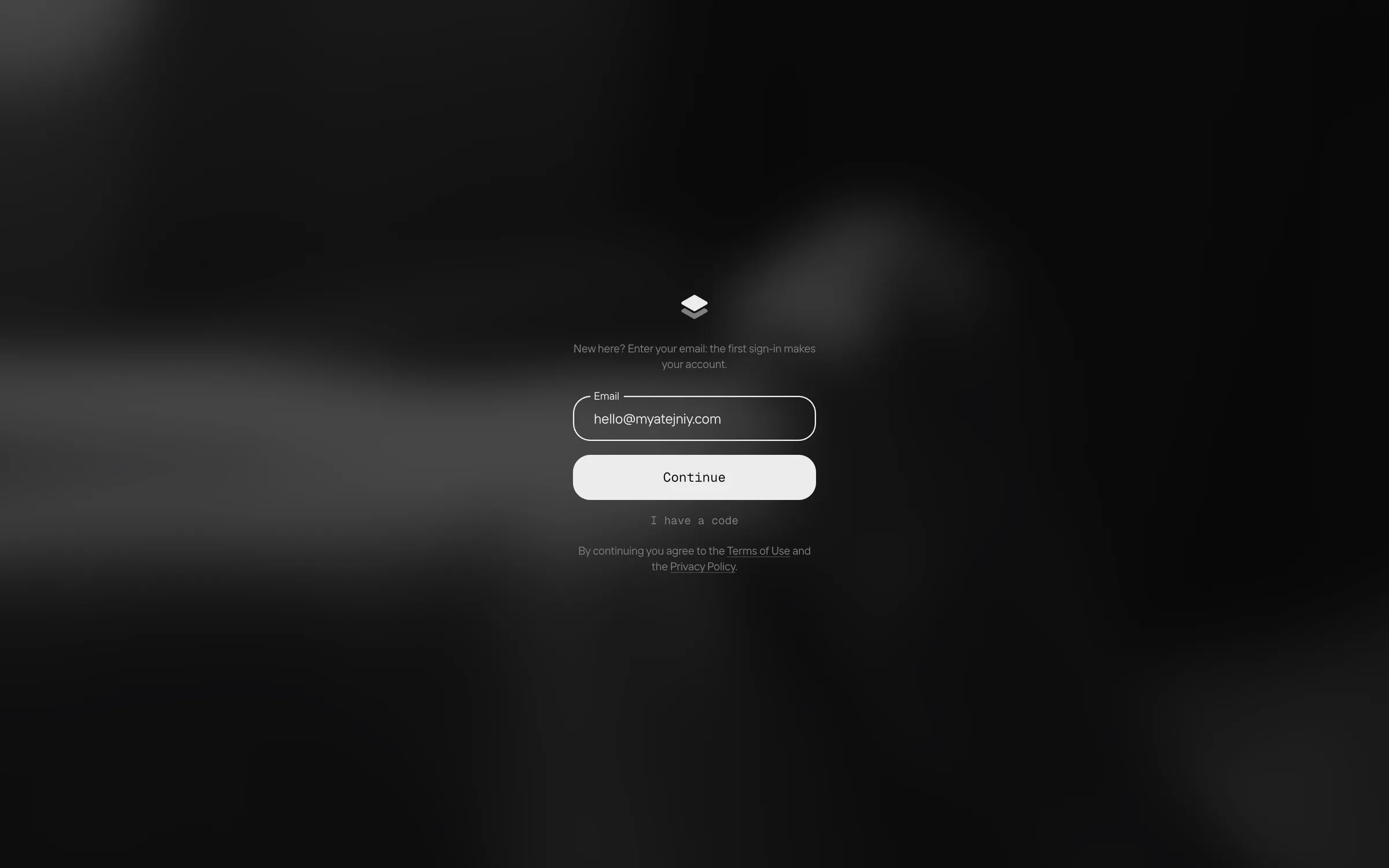
Sign-in takes an email. A new email creates an account on the first sign-in.
Prices update as soon as the period or currency changes.
Plans side by side, with the current one marked.

Mobile

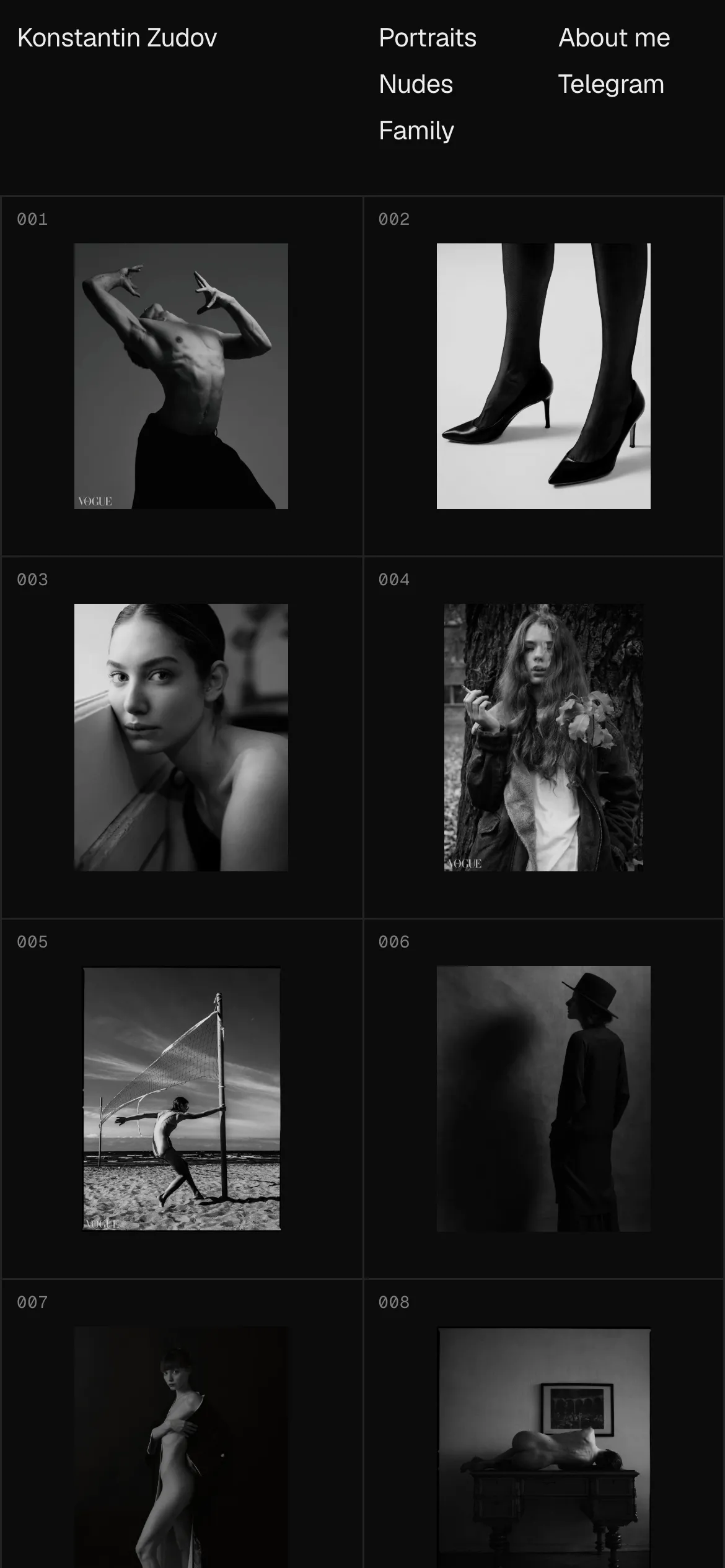
The studio, the albums and the site work the same on a phone. One product, different screens.
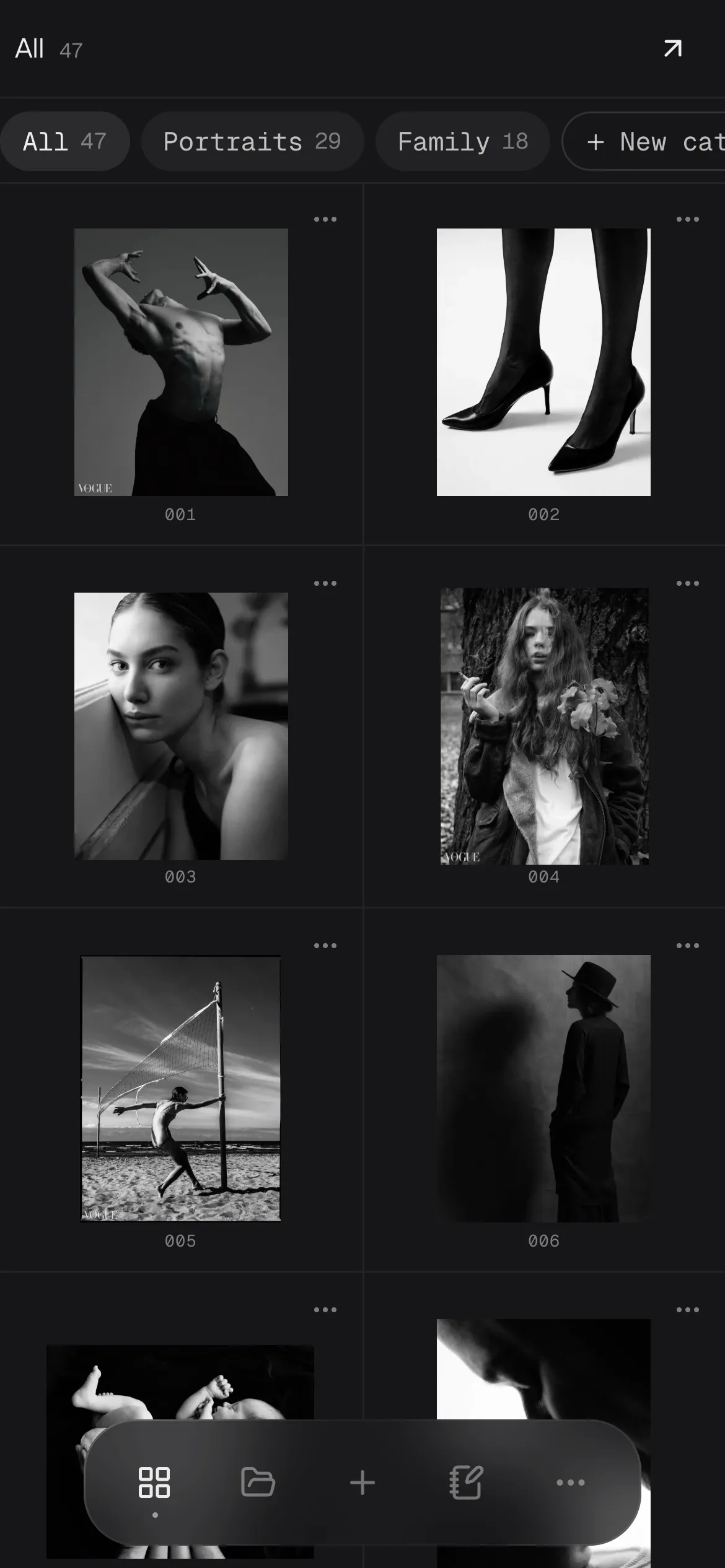
On a phone the studio keeps the same grid with a floating dock below; actions sit under the thumb.
Studio, albums and site on desktop and phone.

Visual language

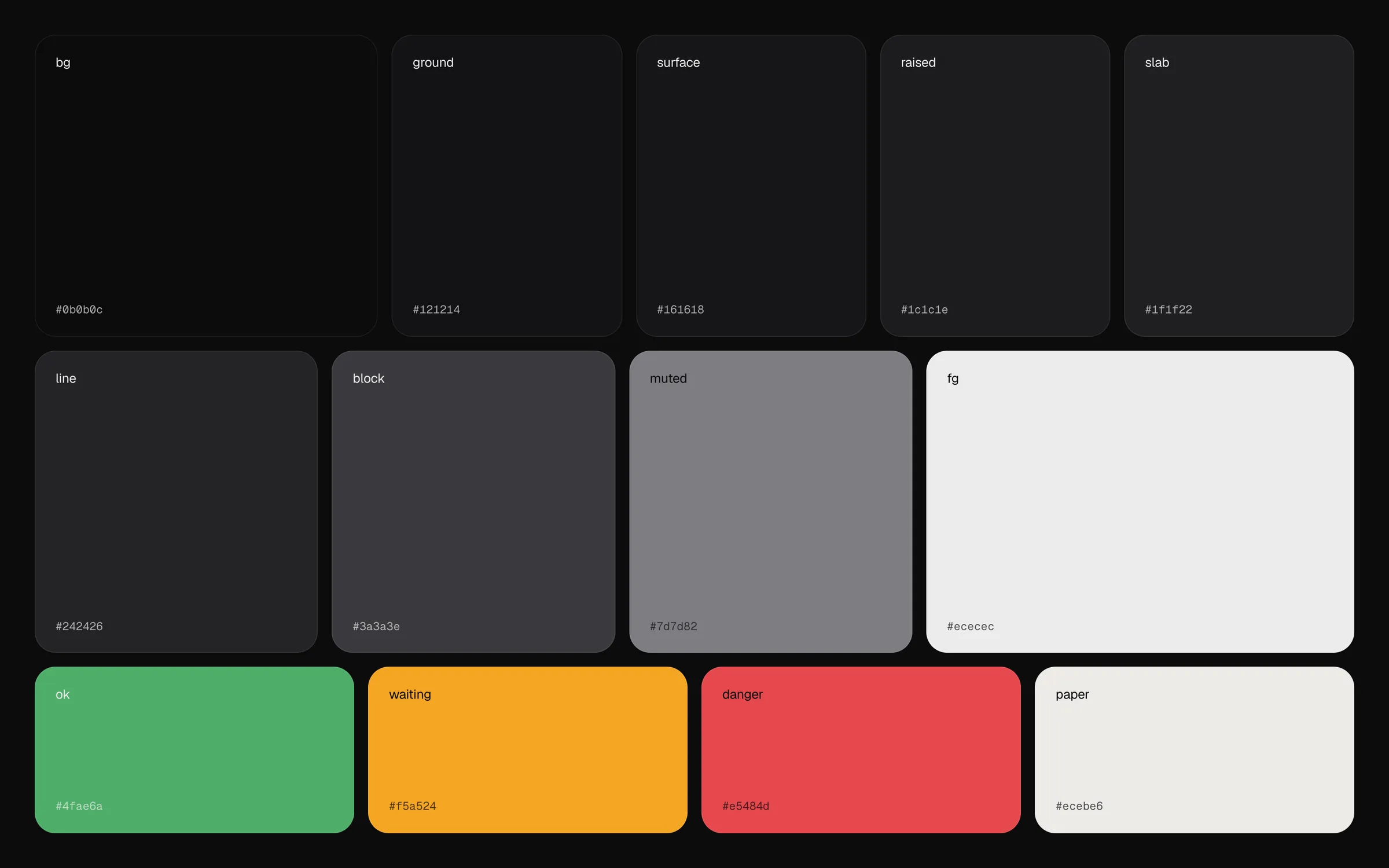
Two typefaces: a calm grotesque for text and a monospace for labels and buttons, so the interface reads as a working tool. The palette is almost monochrome; accent colours appear only where something needs attention.
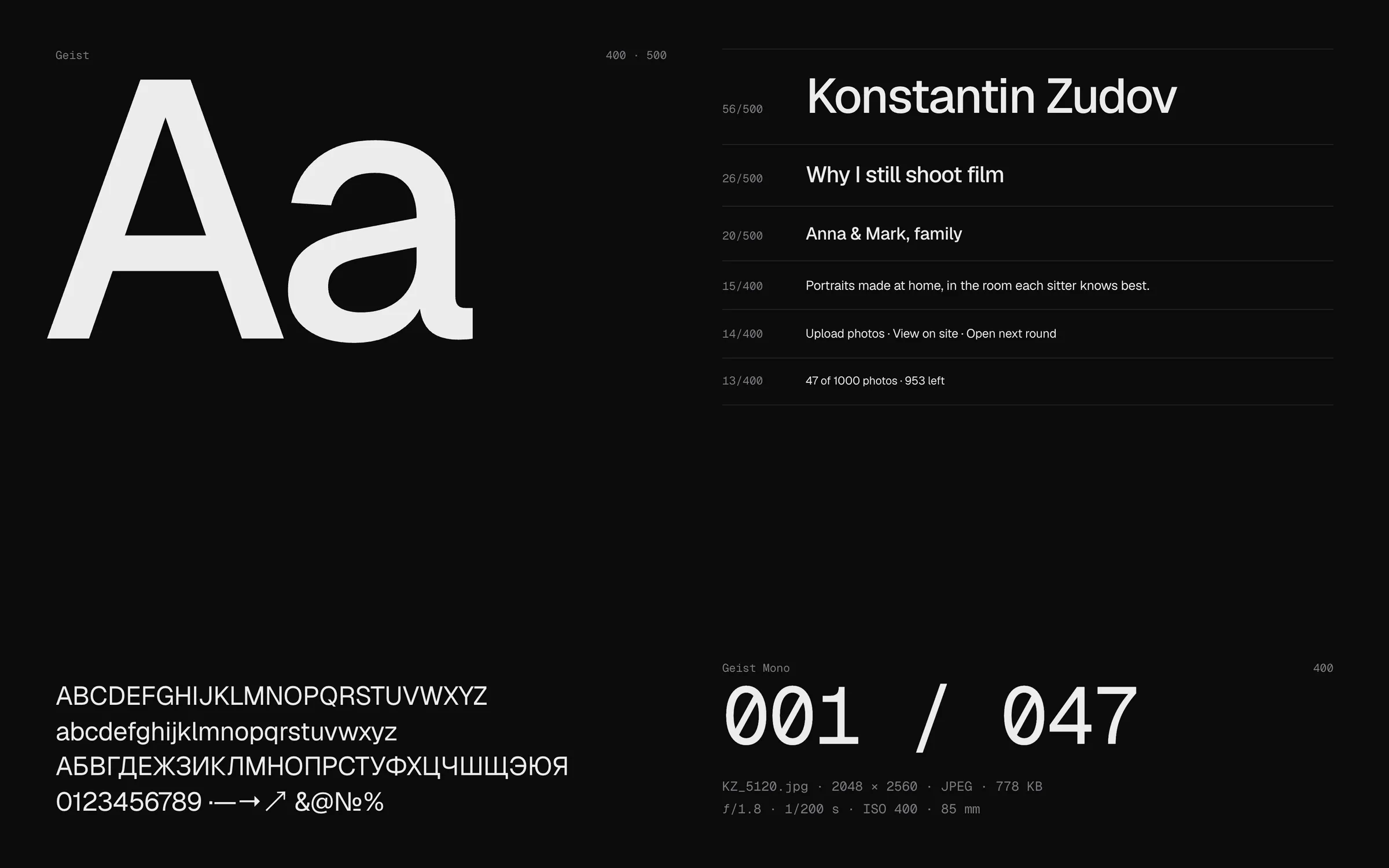
Typography.
Typography.
Colours.
Colours.

Results

39 screens and 226 React components across the studio, the photographer’s site, the client album and the landing. Desktop and phone, three languages: English, Russian and Spanish.
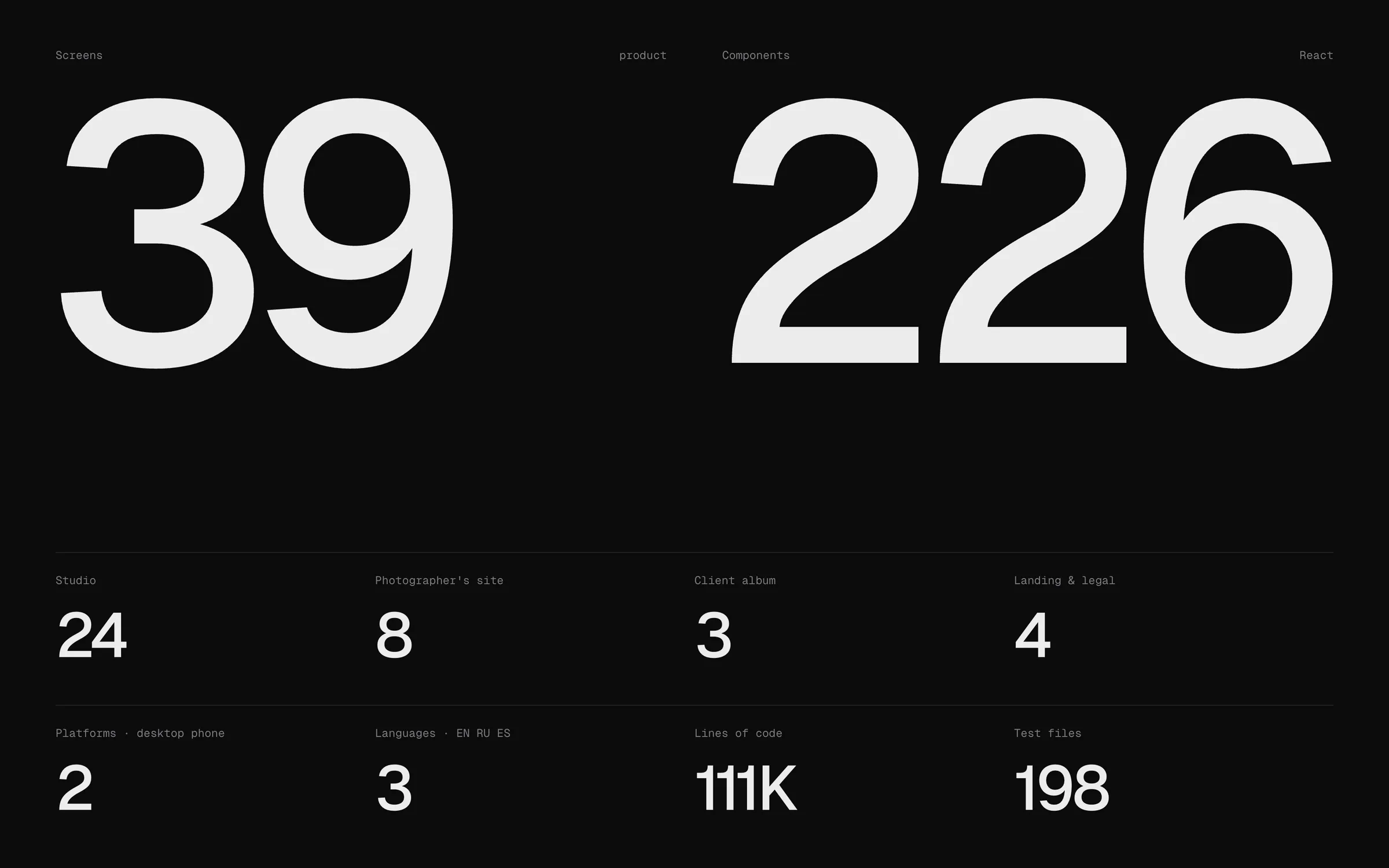
Monogrid in numbers.